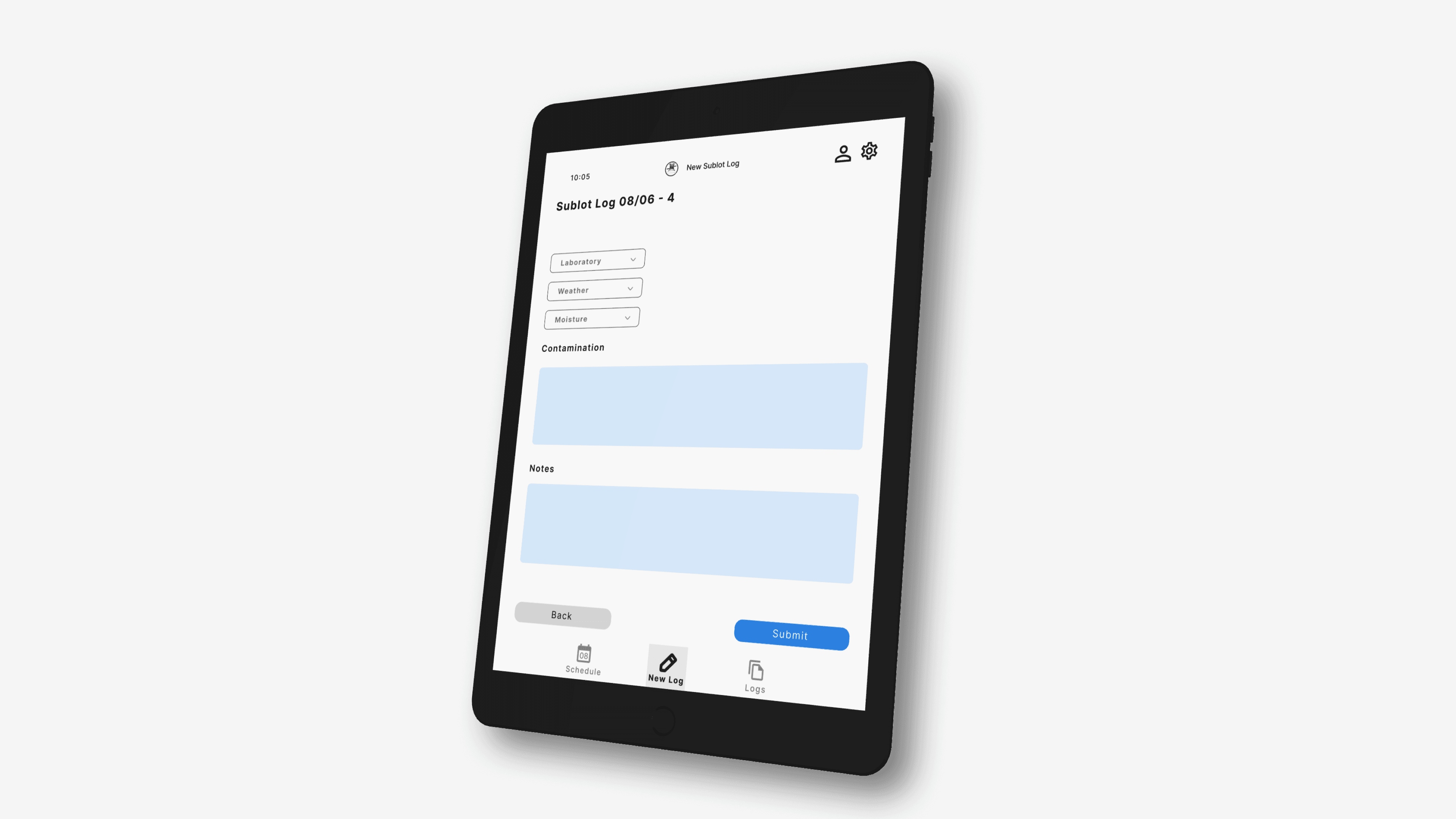
Certispec Inspection Workflow Digital Redesign (SaaS)
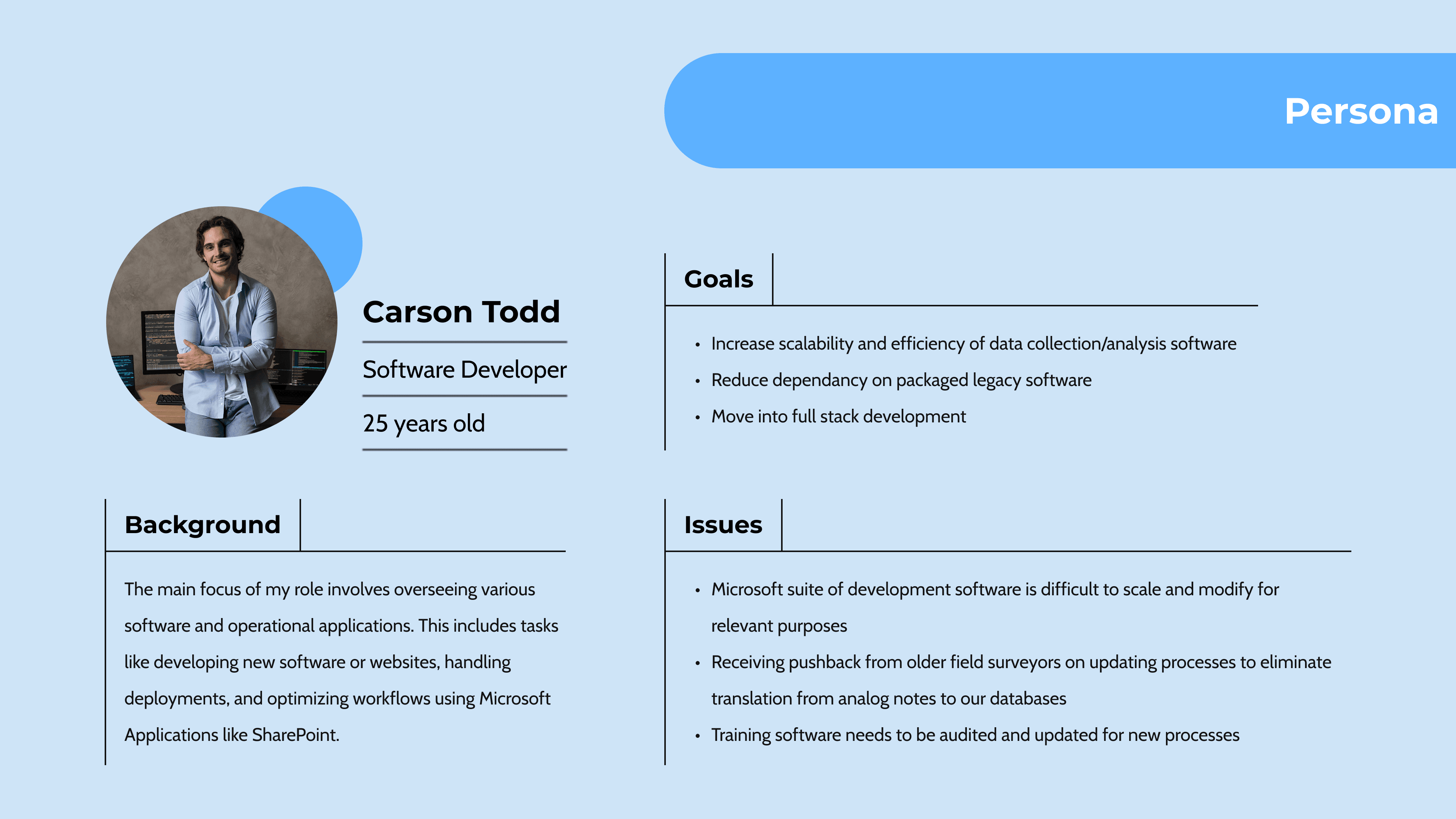
Certispec, a marine surveying company, needed to replace their paper-based note-taking process with a streamlined digital toolkit. This shift would eliminate transcription issues, accelerate reporting, and allow real-time coordination across surveyors, managers, labs, and clients. I partnered closely with their Software Systems Manager, Carson Todd, and multiple field surveyors to shape the solution, running interviews, workshops, and prototype testing sessions that grounded the design in real field conditions.
ROLE
TOOLS
Figma & ProtoPie
TIMELINE
4 weeks
Problem
Field surveyors at Certispec still rely on handwritten notes during marine inspections. These notes must later be typed into a desktop system, creating a workflow that is:
Time-consuming due to double entry
Error-prone because handwriting is often unclear
Inconsistent across workers
Slow in delivering updates to managers and labs
Stressful for senior surveyors who feel intimidated by digital tools
The UX challenge:
Design a mobile-first note-taking experience that fits intense field conditions, supports dense industrial data, and remains intuitive for users with mixed levels of digital literacy.
Research
Ethnographic Research & Interviews
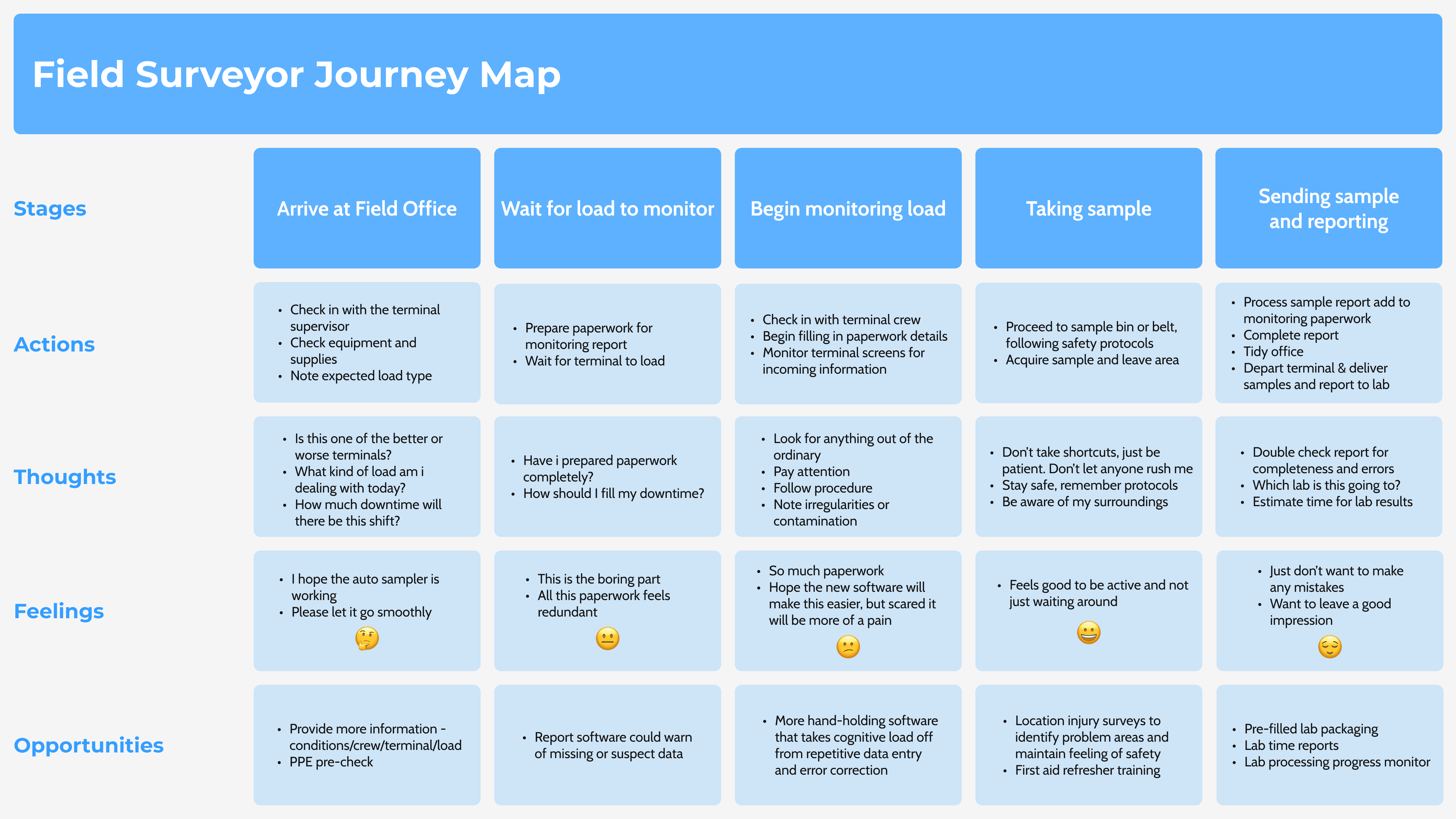
To build an accurate picture of Certispec’s field environment, we conducted a mix of qualitative research activities:
Live interviews with active surveyors
Email discussions with the IT manager for technical context
On-site observations of inspections
Direct exposure to real workflows, tools, and reporting habits
These insights helped ensure the solution reflected the realities of marine surveying work.
Key Findings
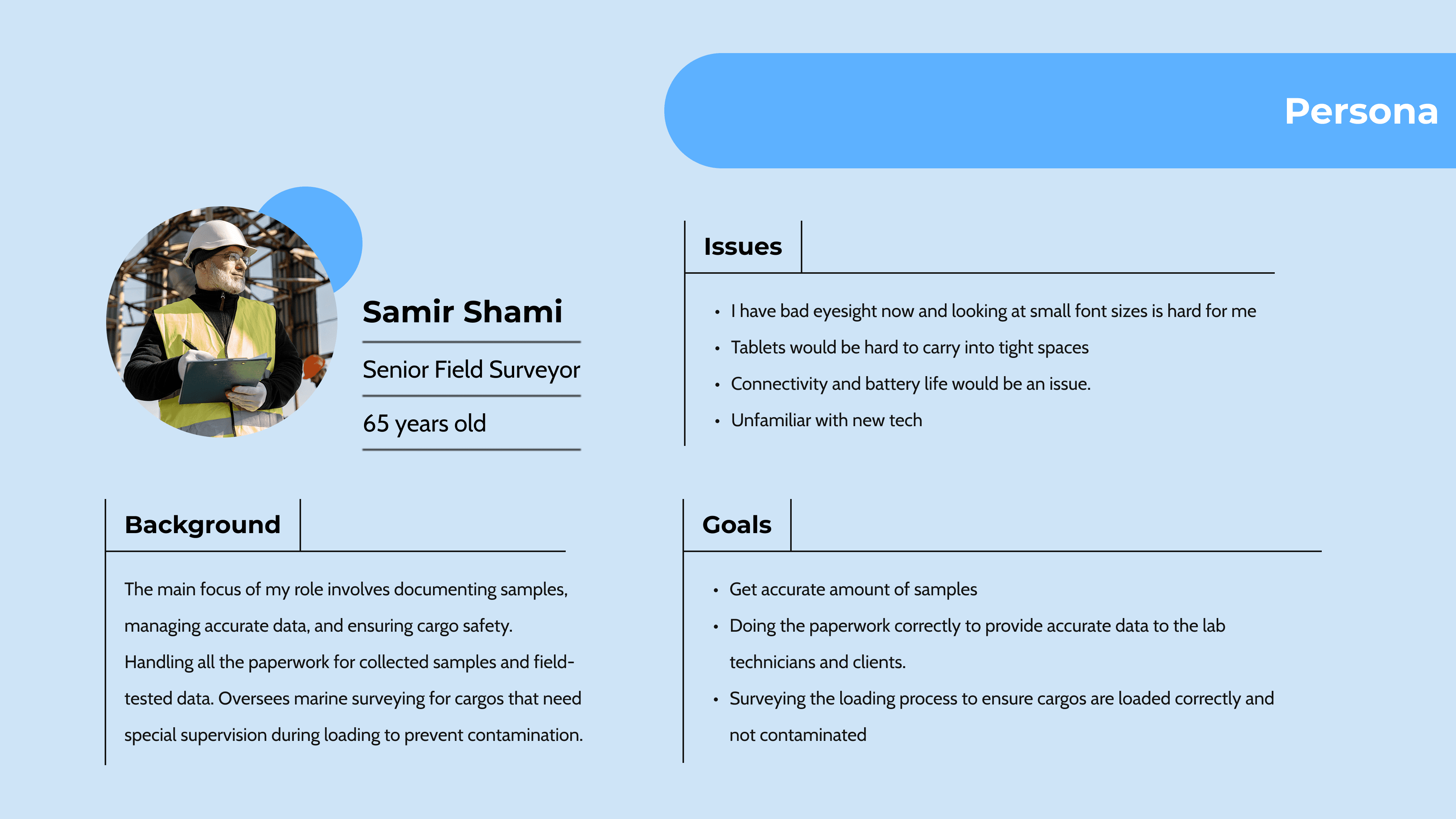
Senior workers prefer information-dense screens rather than minimalist layouts.
Surveyors want complete input fields in one place to maintain efficiency.
Smaller devices require large, readable text to avoid eye strain.
New digital tools create anxiety for older workers who are less comfortable with technology.
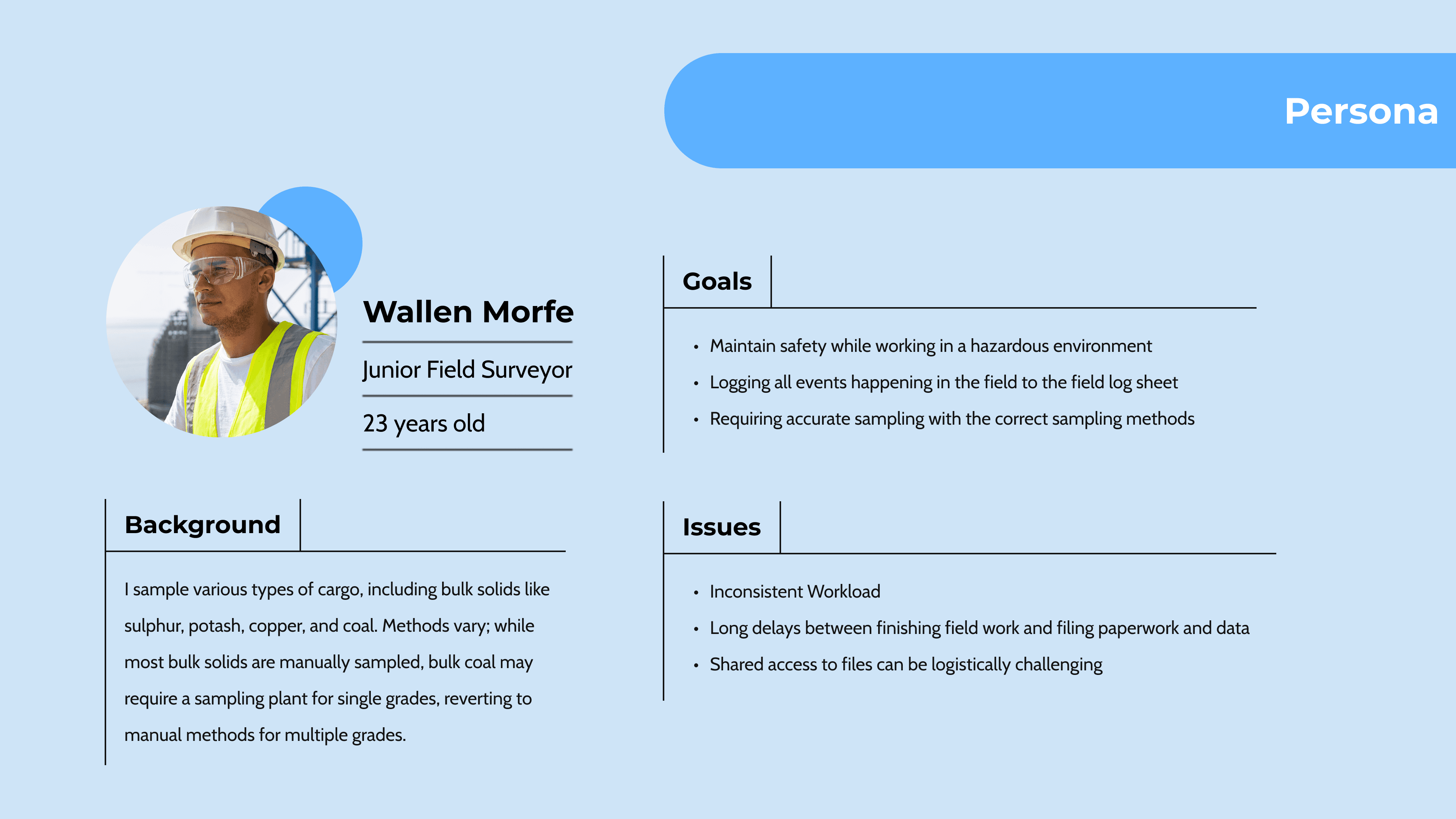
Some data must be entered quickly on-site, while other information is added later in bulk, depending on the inspection context.
Ideation & Design
Initial Concept Design
Our first concept centered on structuring and chunking data to reduce cognitive load for surveyors. To communicate the idea clearly, we developed a storyboard showing how the concept would fit into their workflow. We then presented the wireframes and a basic prototype during a participatory workshop with the client, allowing them to interact with the initial design and provide direct feedback. This allowed us to collect direct, real-time feedback from the people who would use the tool daily.
Participatory Workshop
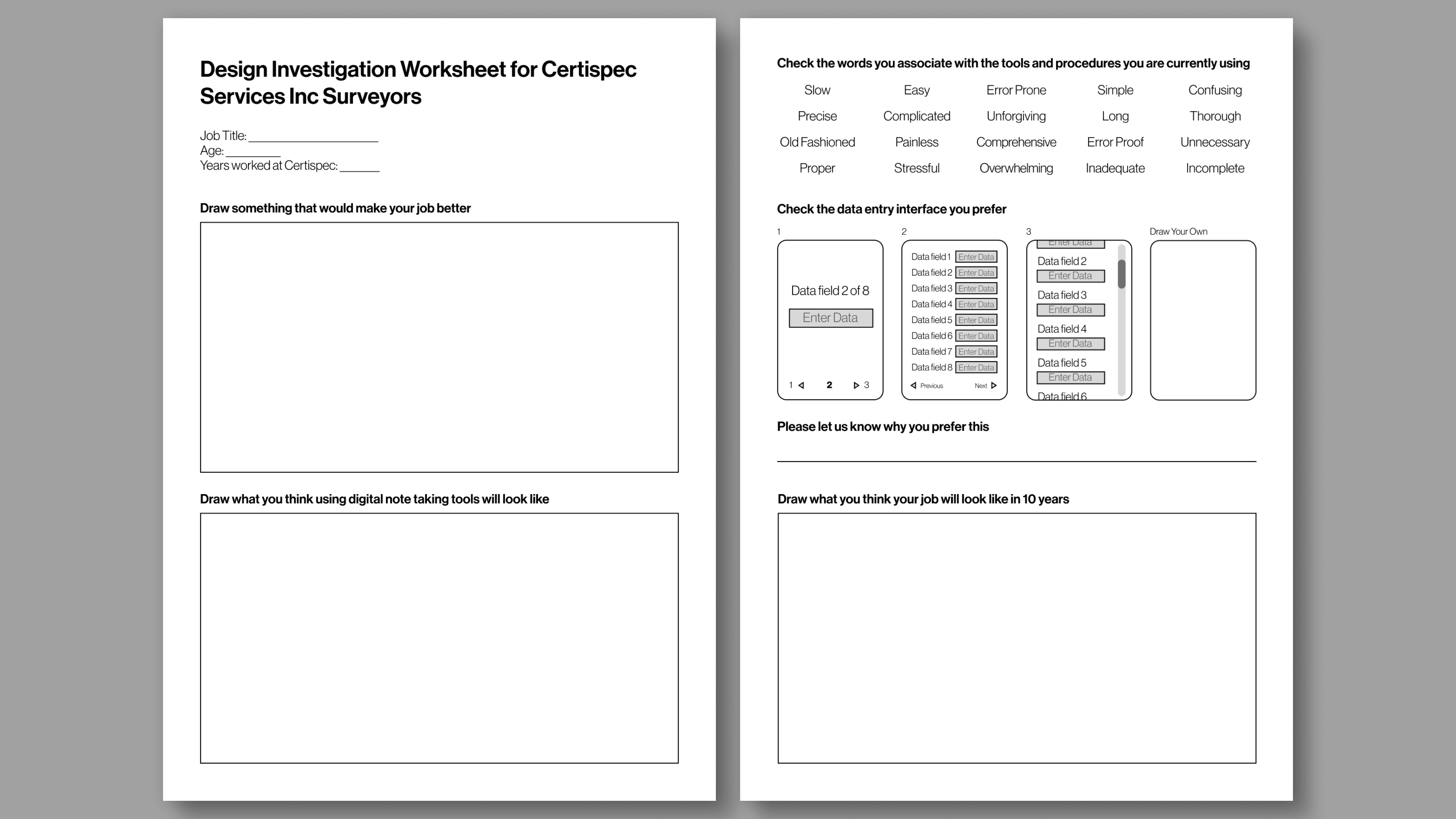
Key feedback from the workshop included:
Preference for dropdown menus over open text fields, as they reduce typing effort and prevent errors.
Stronger comfort with a blue, white, and grey color palette, which felt clean, familiar, and easy to read.
Desire for layouts that rely more heavily on dropdown selections to streamline data entry during fast-paced inspections.
Design changes based on this feedback:
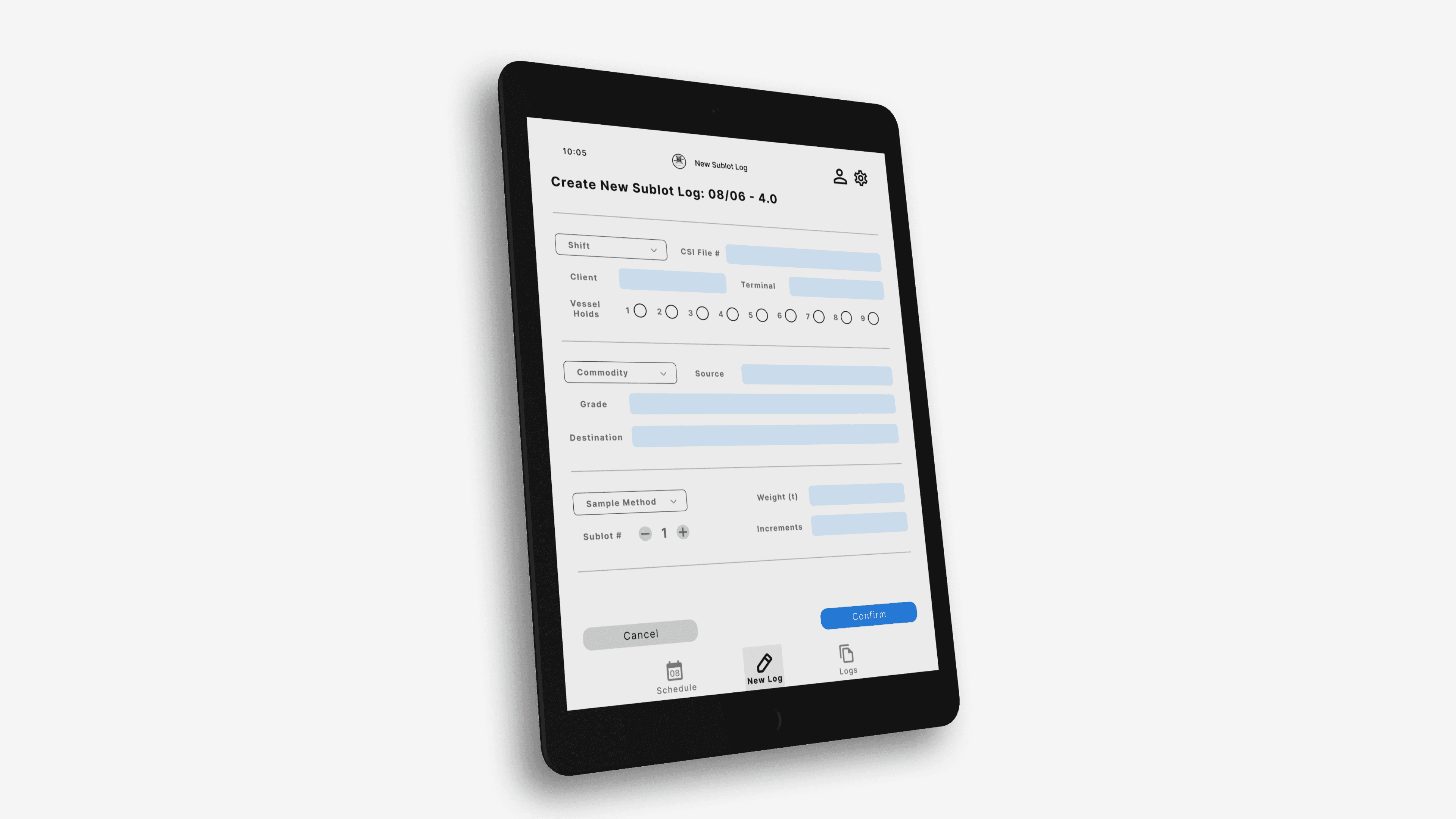
Replaced several text-input fields with dropdown components to support speed and consistency.
Updated the UI color palette to blue, white, and grey for improved clarity and alignment with user preferences.
Refined page layouts to incorporate more guided, menu-based interactions to reduce cognitive load.
Design Principles & Key Improvements
Design Principles Developed After the Participatory Workshop
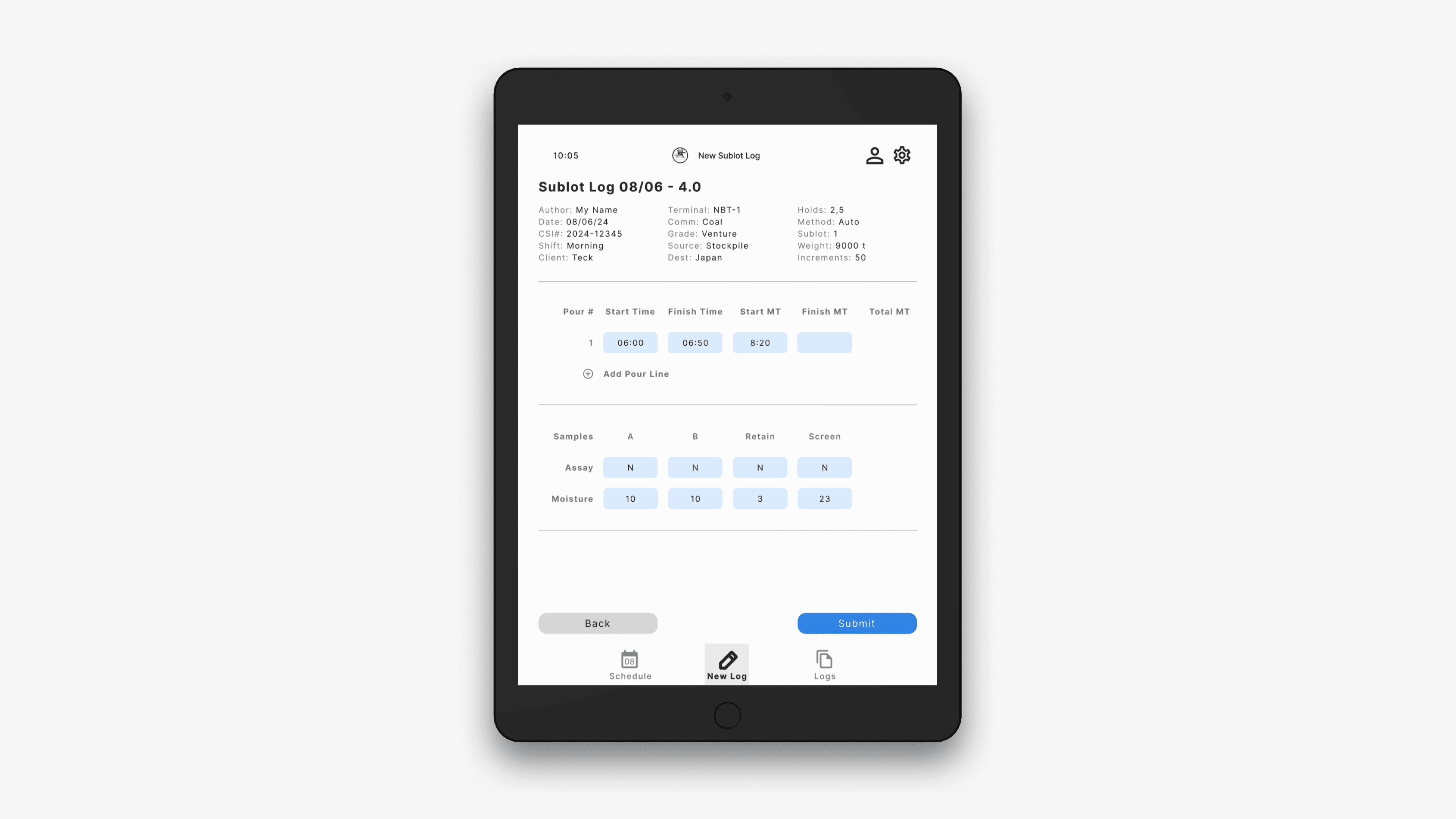
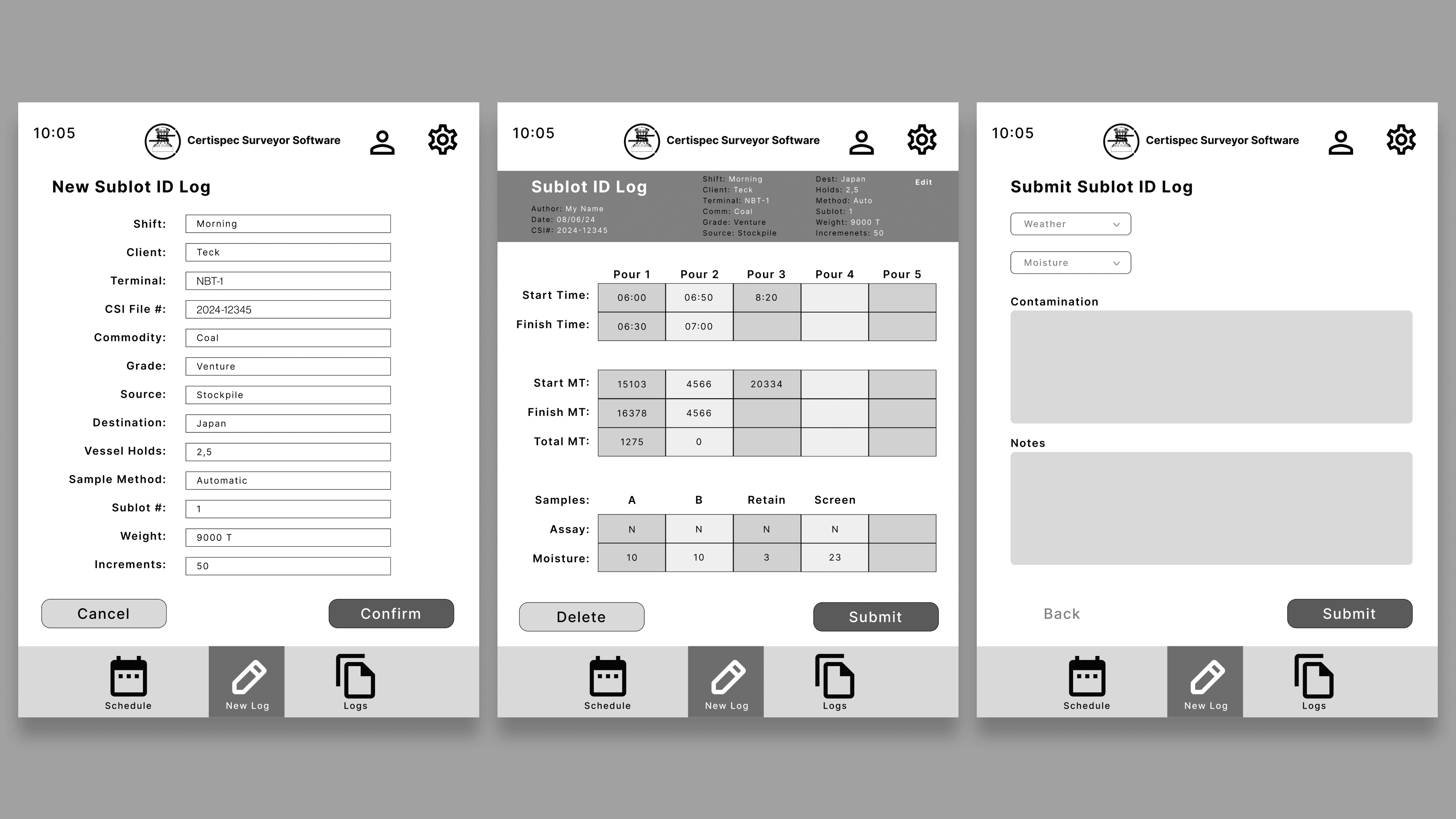
Chunking Information — Group related data so workers can quickly scan and input information without switching screens.
Prioritize High-Visibility Interactions — Use large buttons, clear labels, and familiar input formats to support older surveyors.
Prefer Pull-Down Inputs Over Free Text — Field research and testing showed that dropdown menus significantly reduced errors and improved speed.
Balance Density and Readability — Create information-dense layouts that remain clear and manageable rather than overwhelming.
Major Fixes Applied
Replaced additional text fields with dropdown menus
Increased text size for small devices
Reduced unnecessary steps in the note-creation workflow
Improved grouping of related data fields for faster scanning
Results
Error Reduction: Using dropdowns instead of free-text inputs led to fewer inconsistencies and fewer mistakes.
Faster Data Entry: Chunked forms allowed surveyors to complete logs with fewer screen changes.
Better Accessibility: Text sizing and grouping supported both junior and senior workers.
Improved Data Flow to Managers: Digital notes could be uploaded to the cloud instantly, reducing wait times for lab updates and client reports.
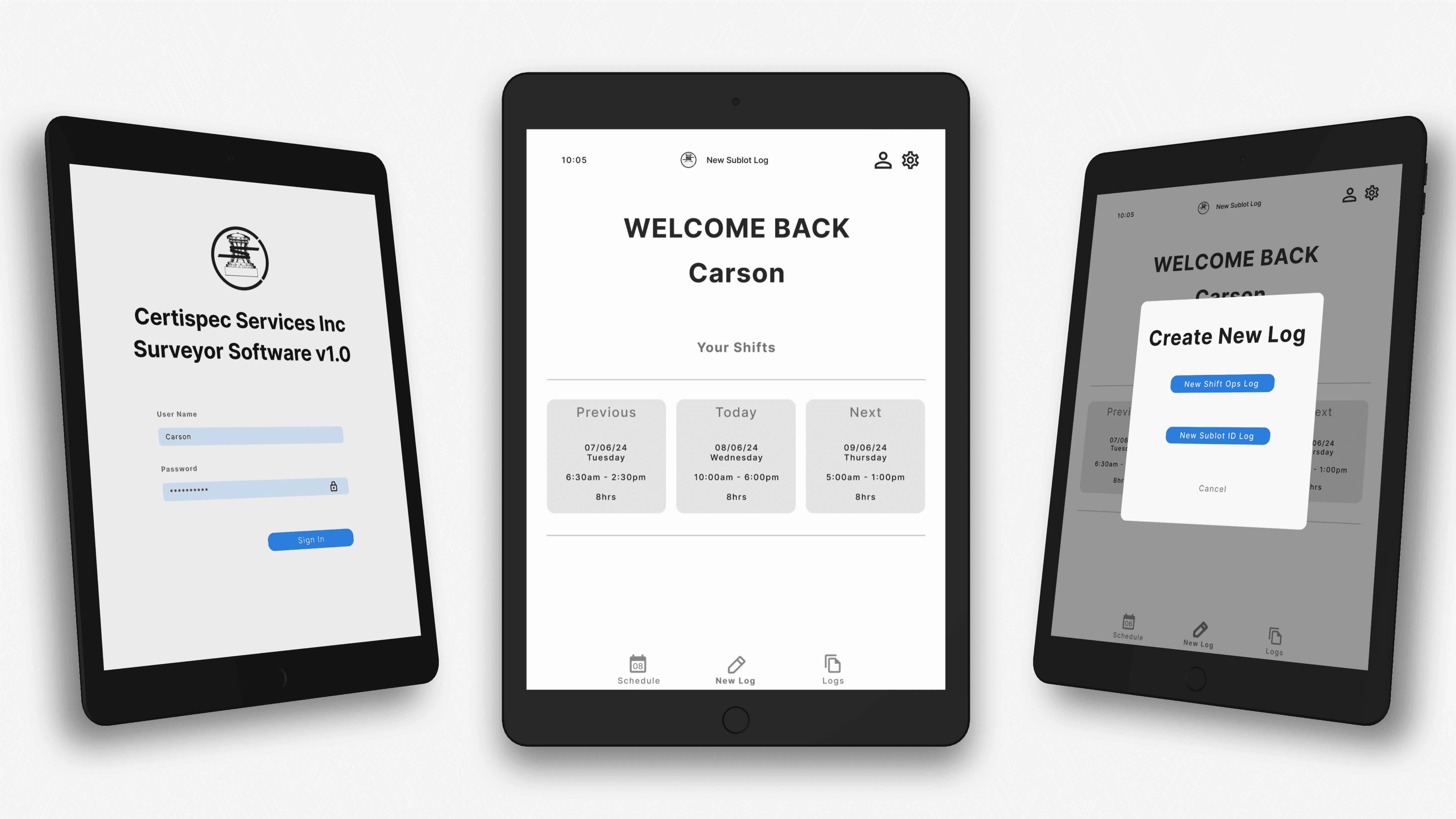
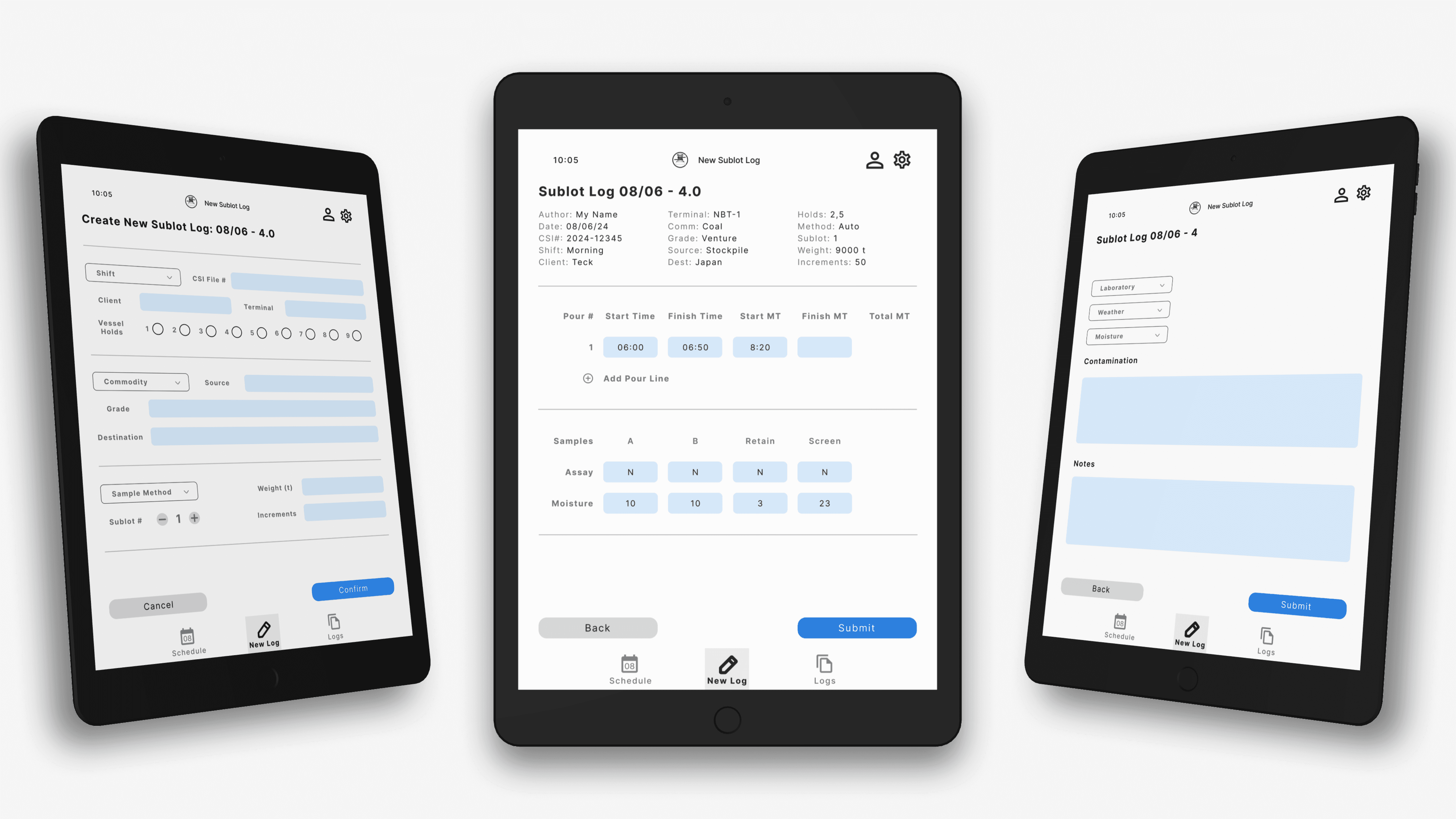
Final UI Design
The refined UI balanced:
Information density
Efficient navigation
Reduced cognitive load
Clear interactions
Field-validated input patterns
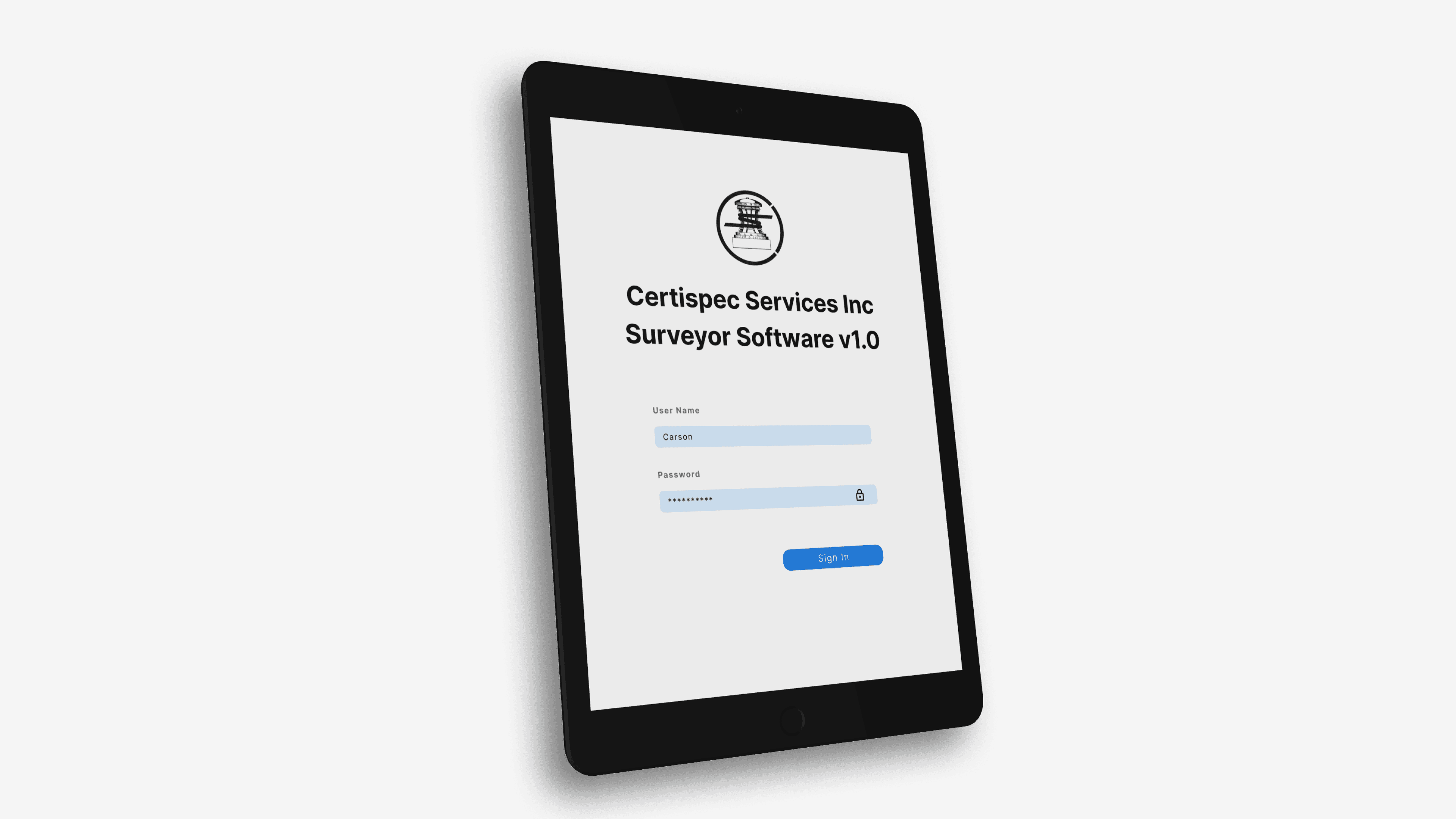
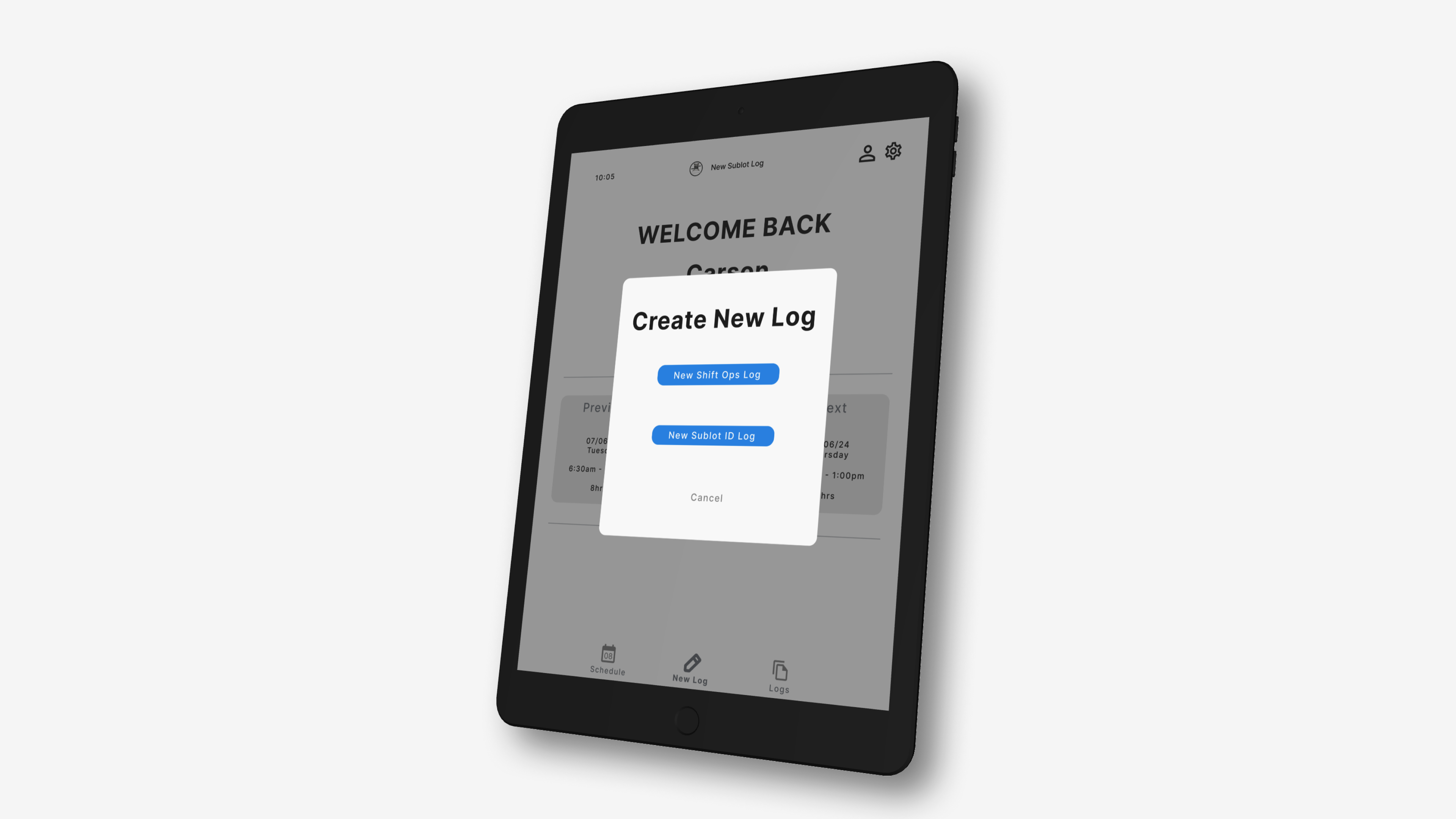
The final prototype was delivered to Certispec’s IT department for future development and integration.