Foodie — Product Design & Mobile App Development
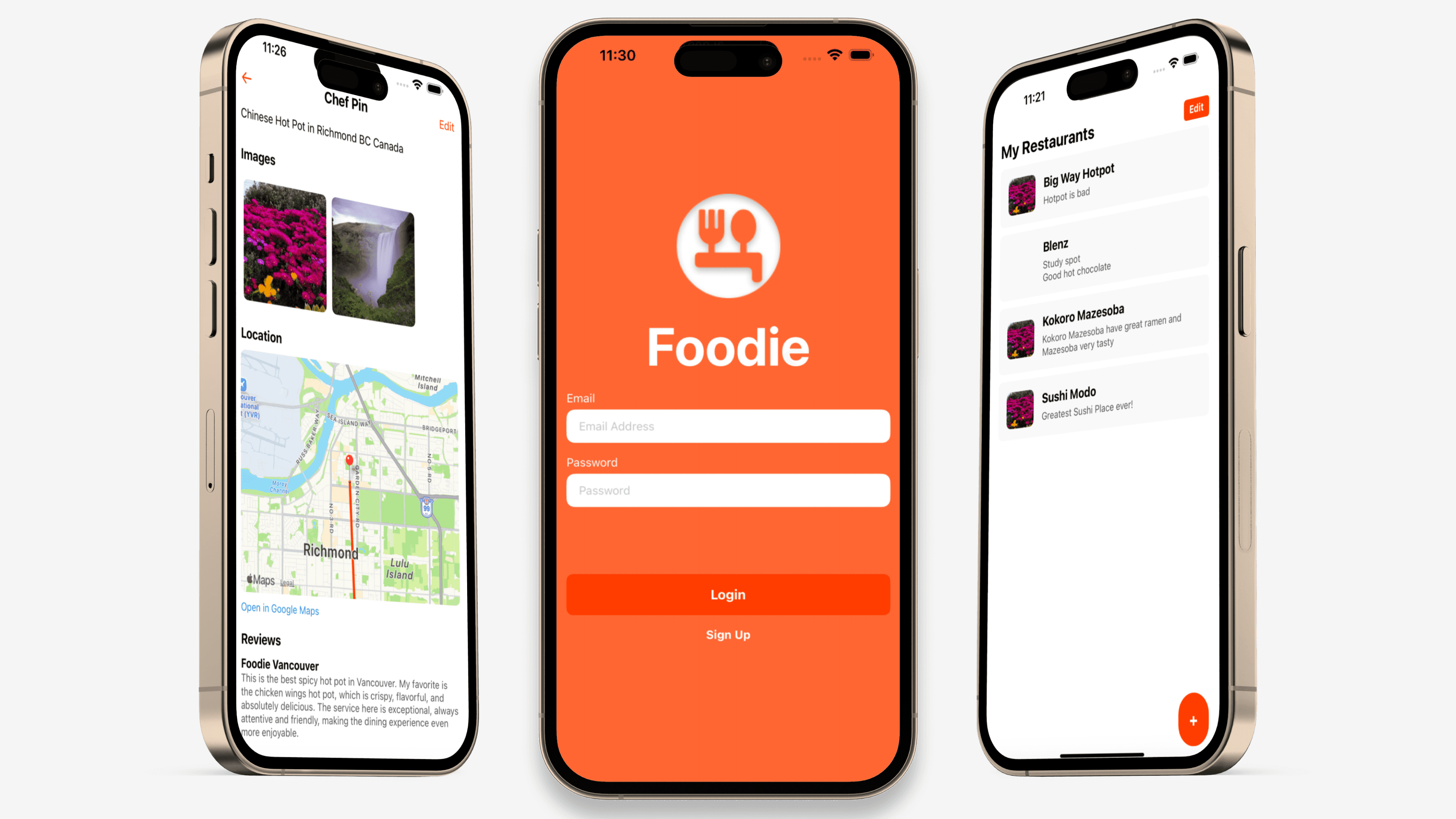
Foodie is a mobile app that helps people privately capture and revisit meaningful restaurant experiences. Instead of public ratings or social pressure, Foodie focuses on personal memory, reflection, and easy rediscovery by combining notes, photos, and location context in one place.
ROLE
TOOLS
Figma, React Native, Firebase, Google Maps & Places API, Expo
TIMELINE
4 Weeks
Challenge
People often want to remember restaurants for personal reasons like meals tied to trips, recommendations from friends, or places they plan to return to.
However, existing tools prioritize public reviews, ratings, and social visibility, leaving users without a private, structured way to capture these experiences.
How might we help people privately capture, organize, and revisit meaningful restaurant experiences, without the pressure of public sharing, while preserving context like photos and location?
Private → No social pressure or public metrics
Low-friction → Fast capture, minimal steps
Context-rich → Notes, photos, and location together
Rediscoverable → Useful beyond the moment of entry
User Research & Insights
Target Users
Food enthusiasts
Travelers
Casual diners who prefer private documentation over public review
Research Methods
Informal user interviews
Competitive analysis
Personal journaling behavior audit
Key Insights
Privacy matters — Users want a space that feels personal—not performative.
Context is essential — Notes alone aren’t enough. Users want photos, location, and directions tied together.
Low friction beats completeness — If saving a restaurant takes too long, users abandon the habit.
Competitive Analysis
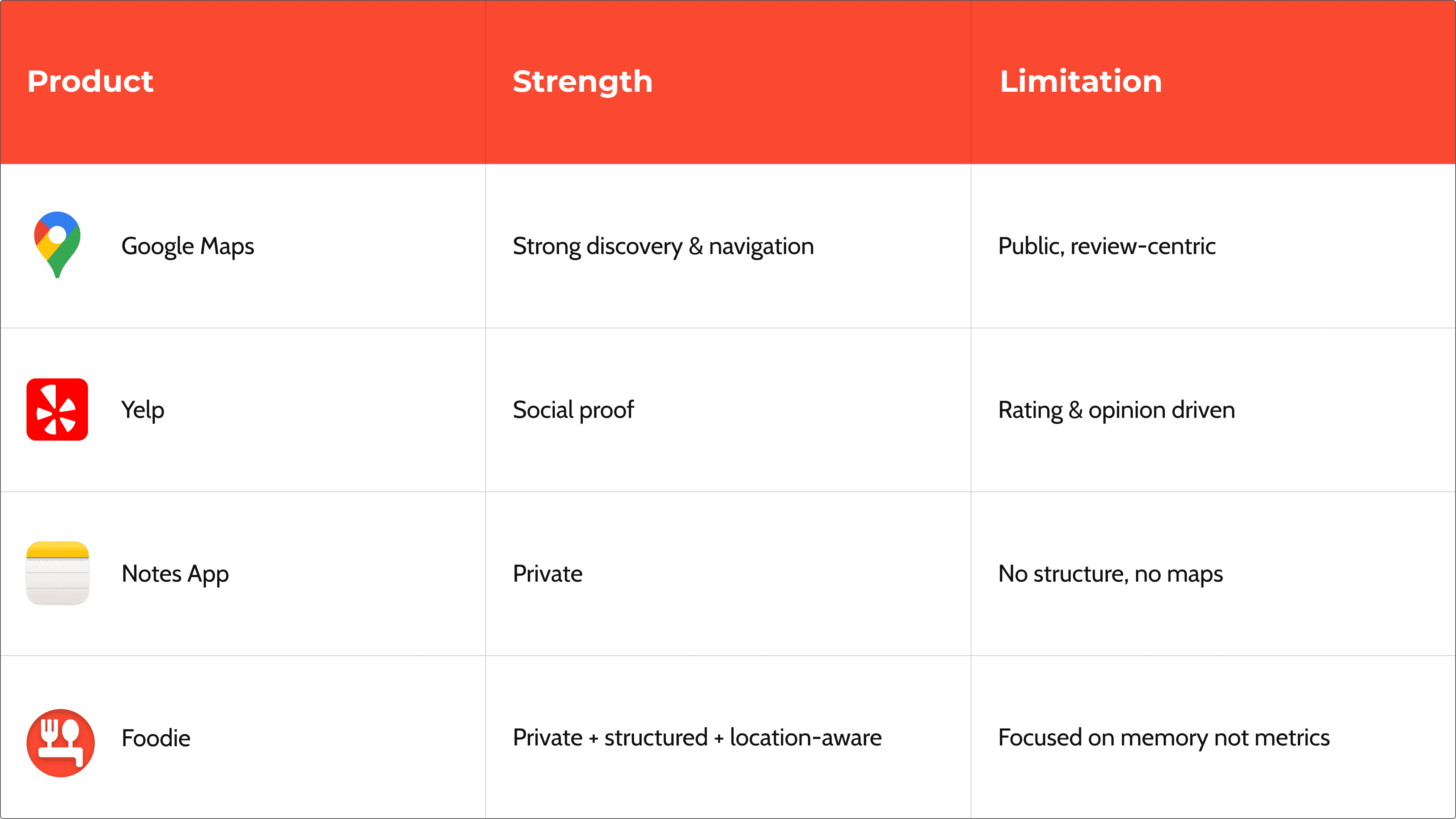
Based on the competitive analysis, we identified an opportunity to create a private, structured restaurant journal that supports recall, reflection, and rediscovery.
Design Principles
Private by default — No social feed, no public posting
Fast capture — Add a restaurant in seconds
Memory-first — Notes and photos matter more than ratings
Clarity over density — Simple layouts, minimal cognitive load
Location as context — Maps support memory, not exploration
User Flow Overview
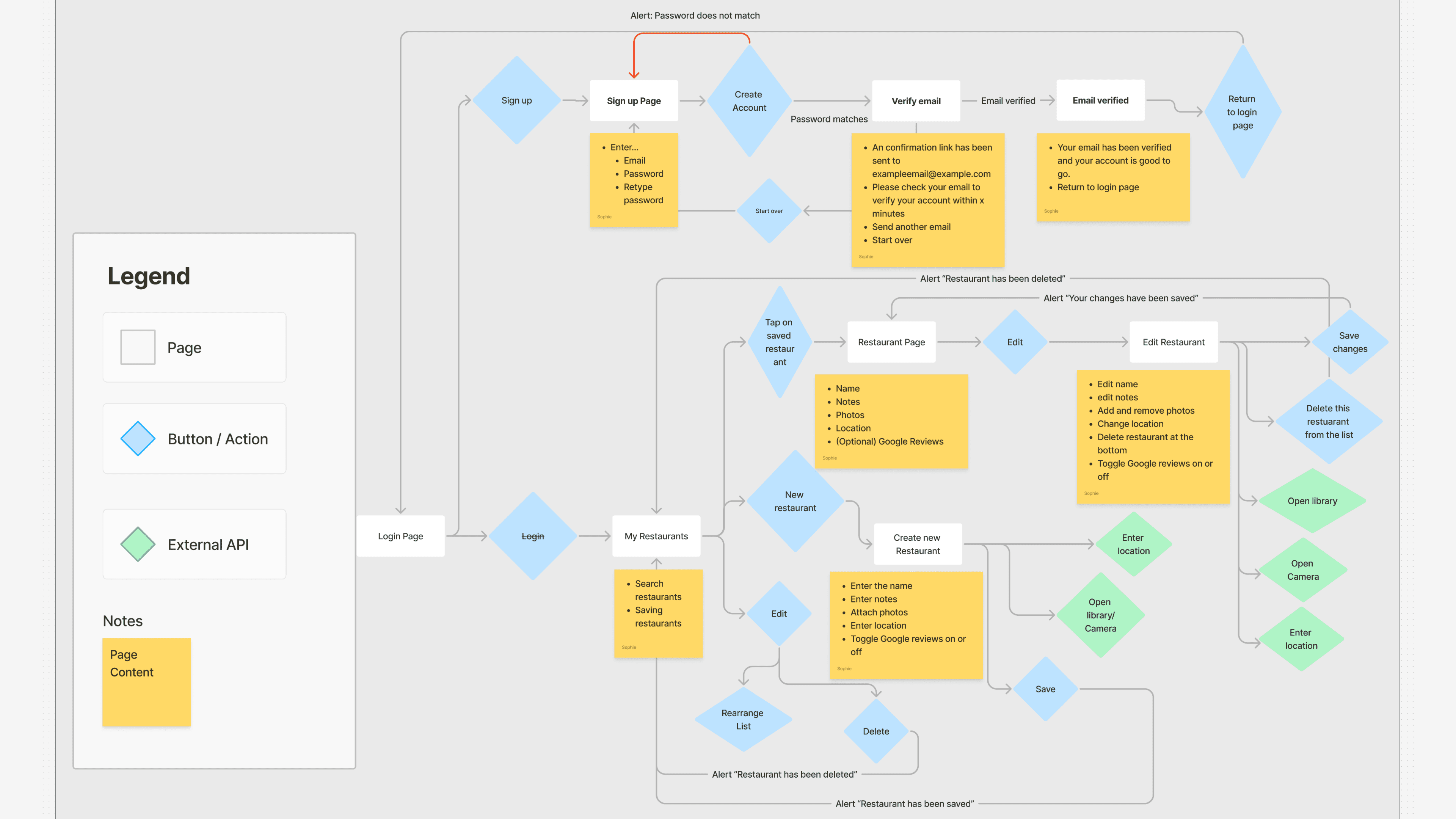
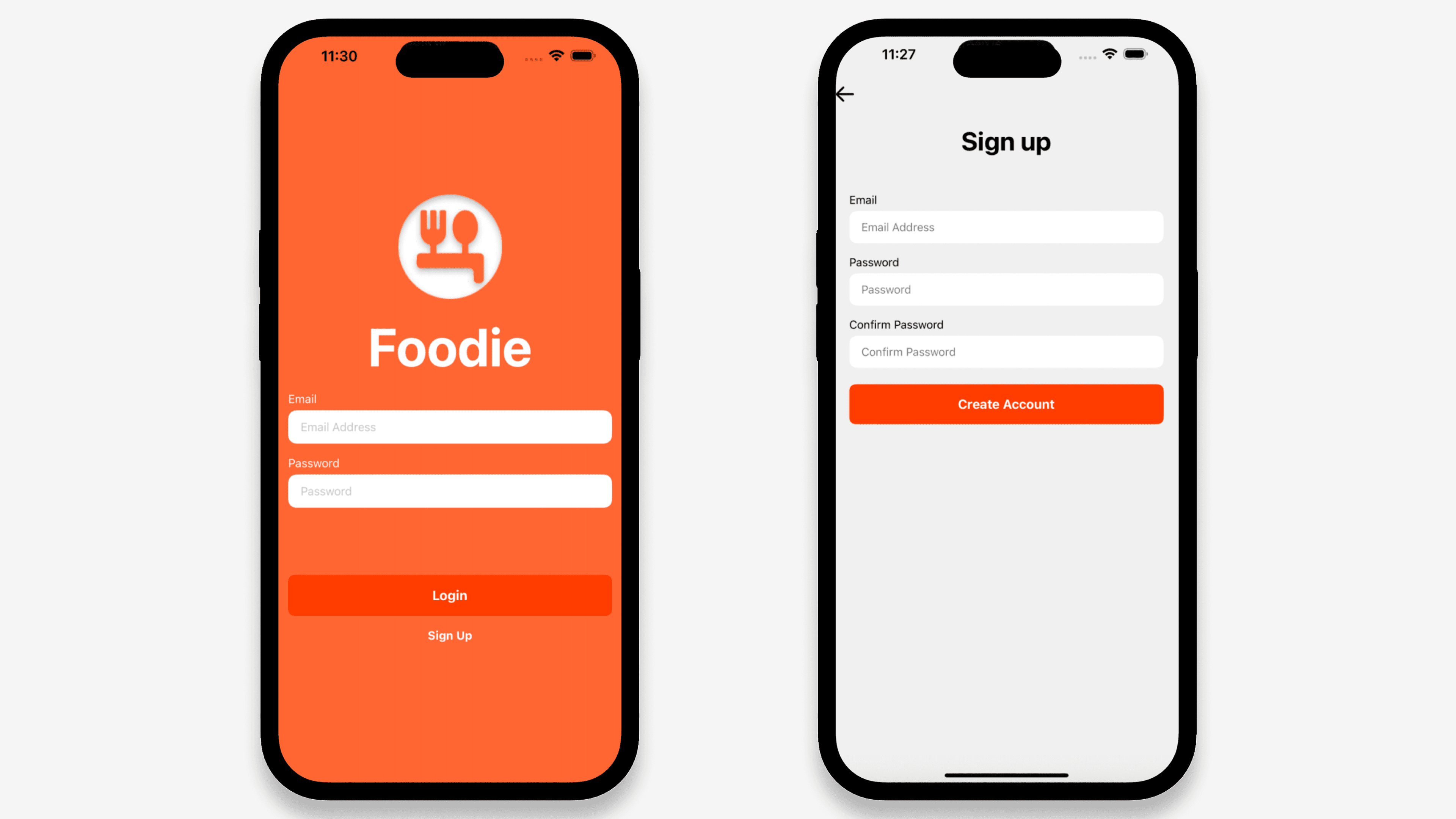
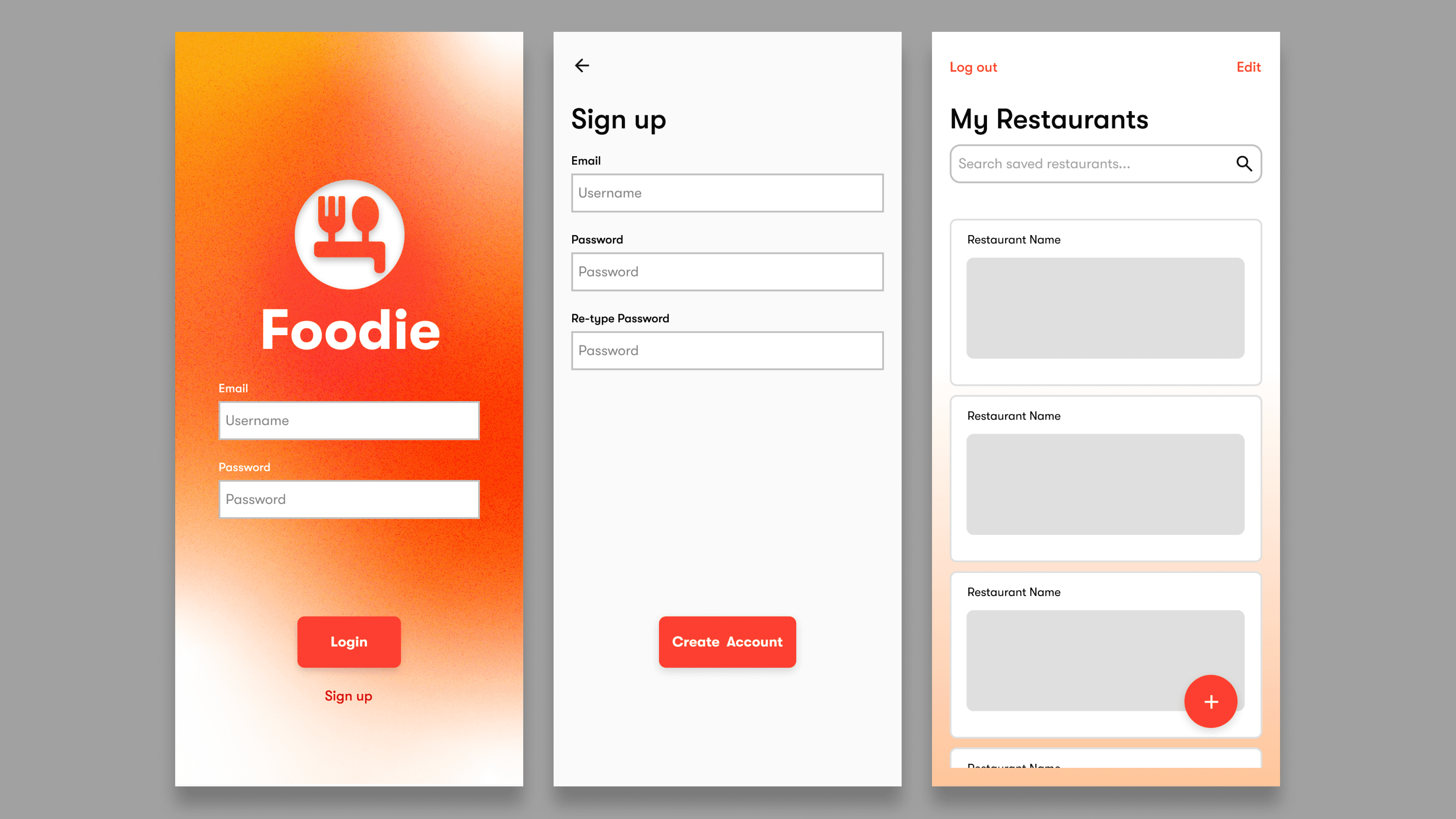
Authenticate (privacy & trust)
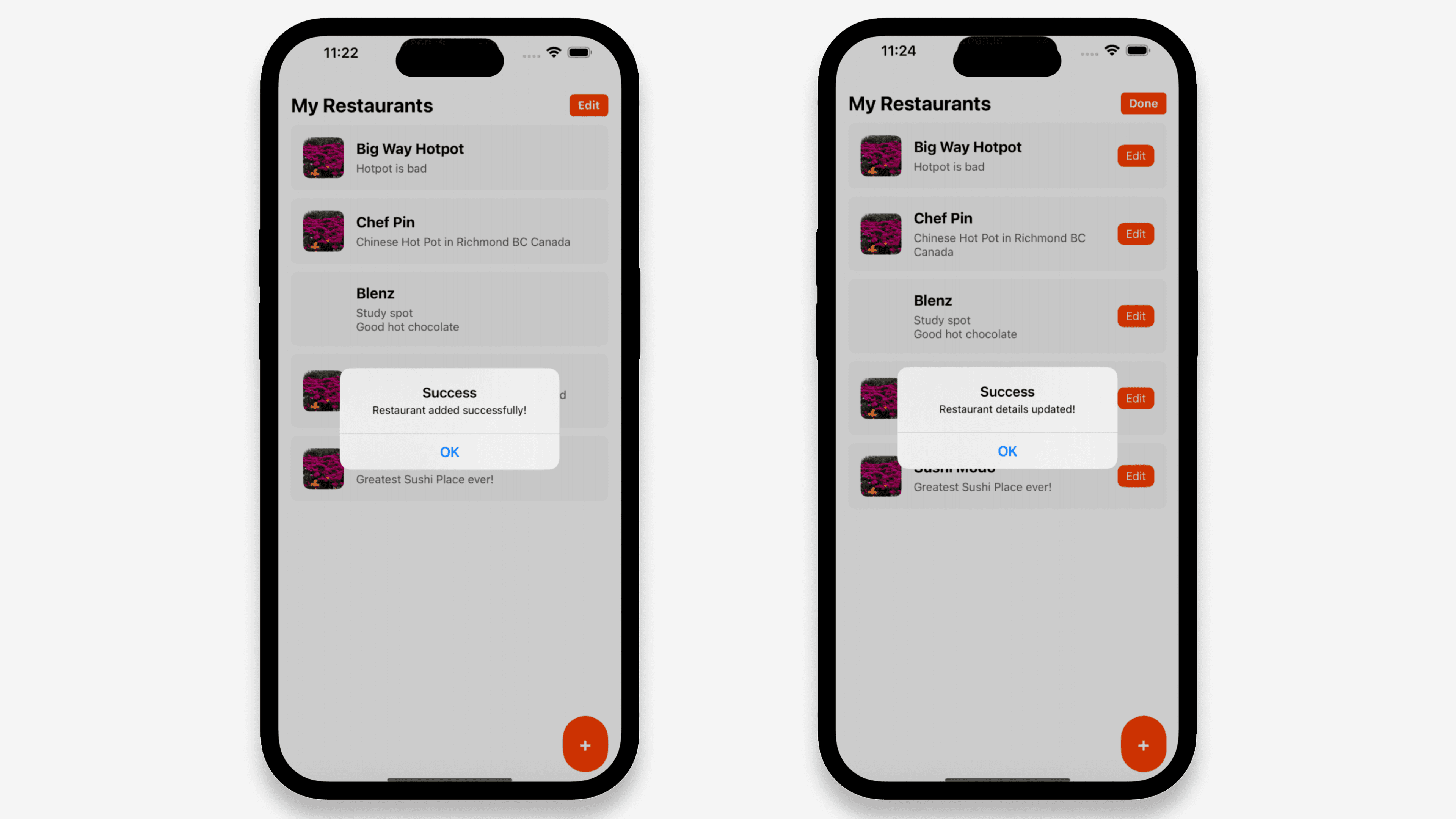
View personal restaurant list
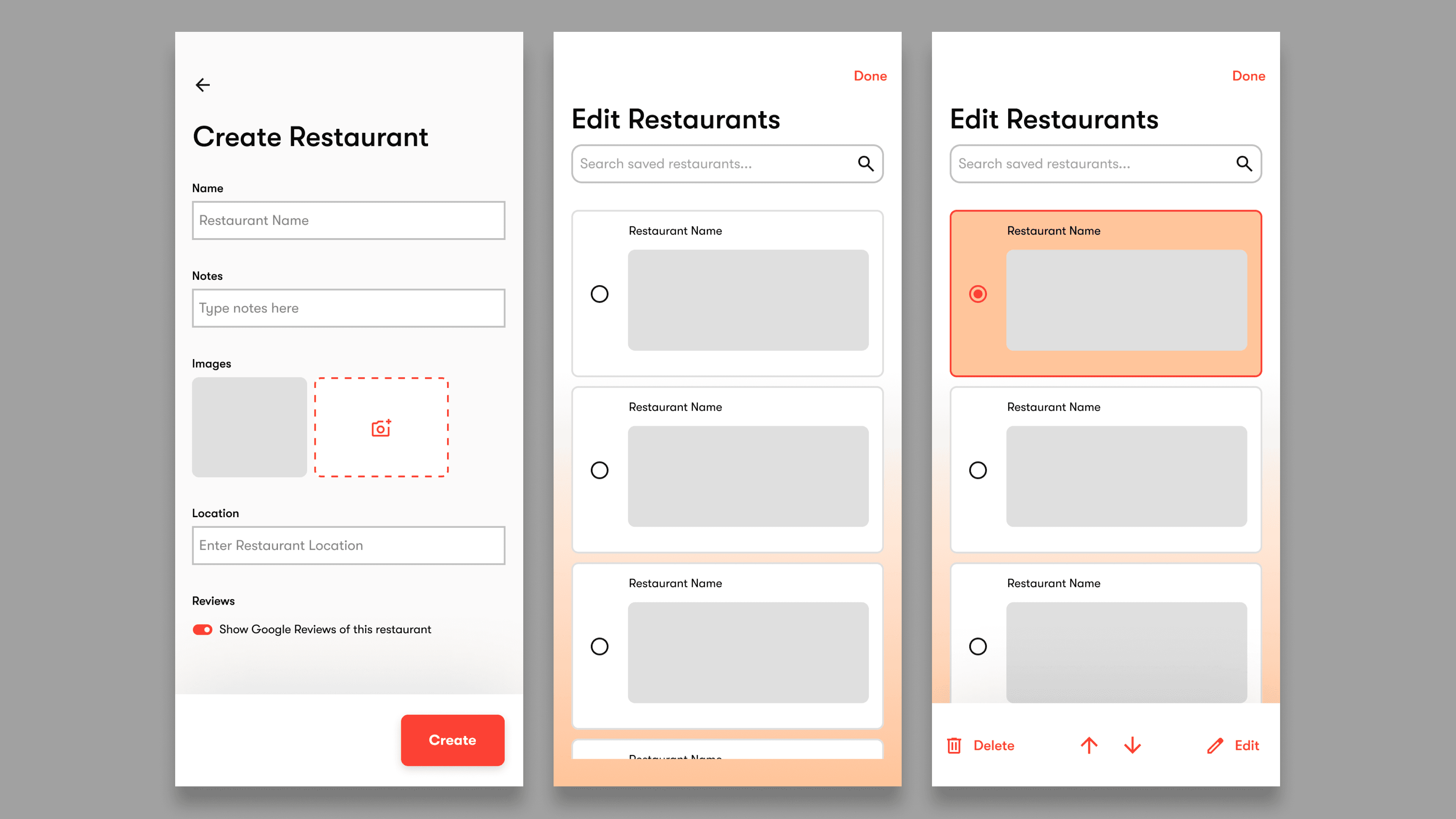
Add a restaurant (FAB)
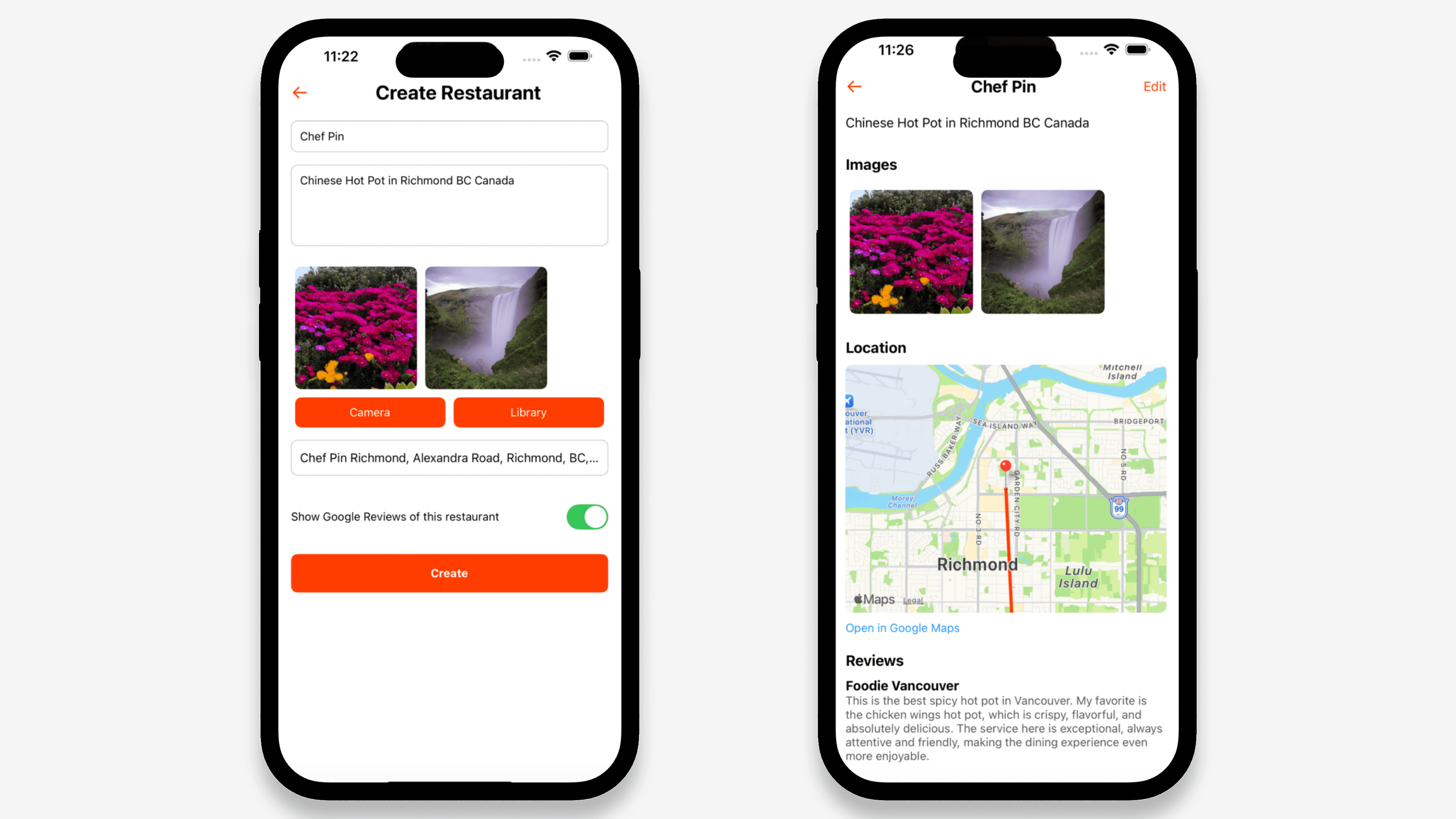
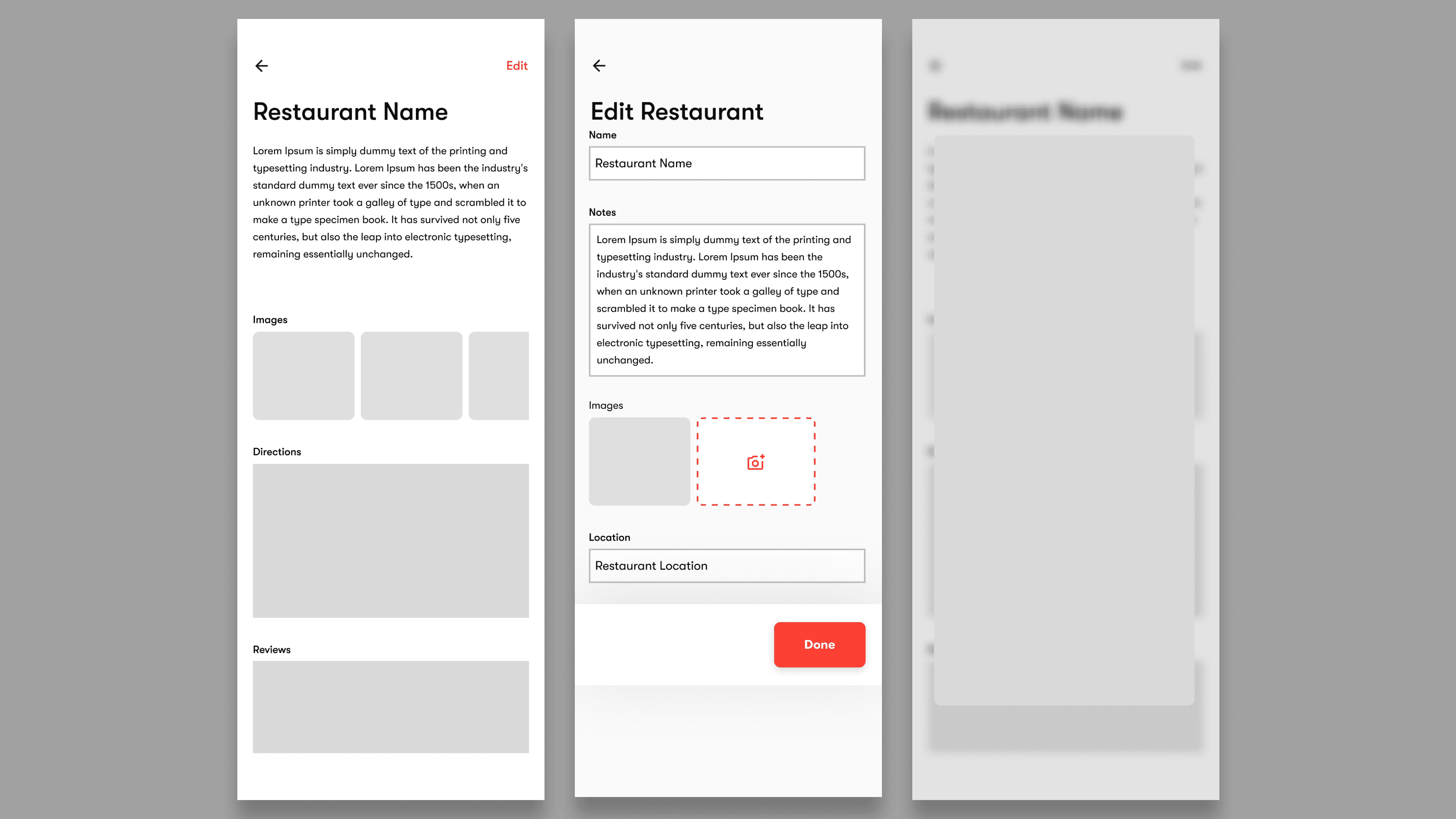
Attach notes, photos, and location
Revisit via list or map view
Ideation & Wireframing
Low-Fidelity Exploration
Early wireframes focused on reducing form friction, making the “Add restaurant” action highly visible, ensuring lists were scannable at a glance and as a key decision, the floating action button for fast entry after observing users prioritize speed over categorization.
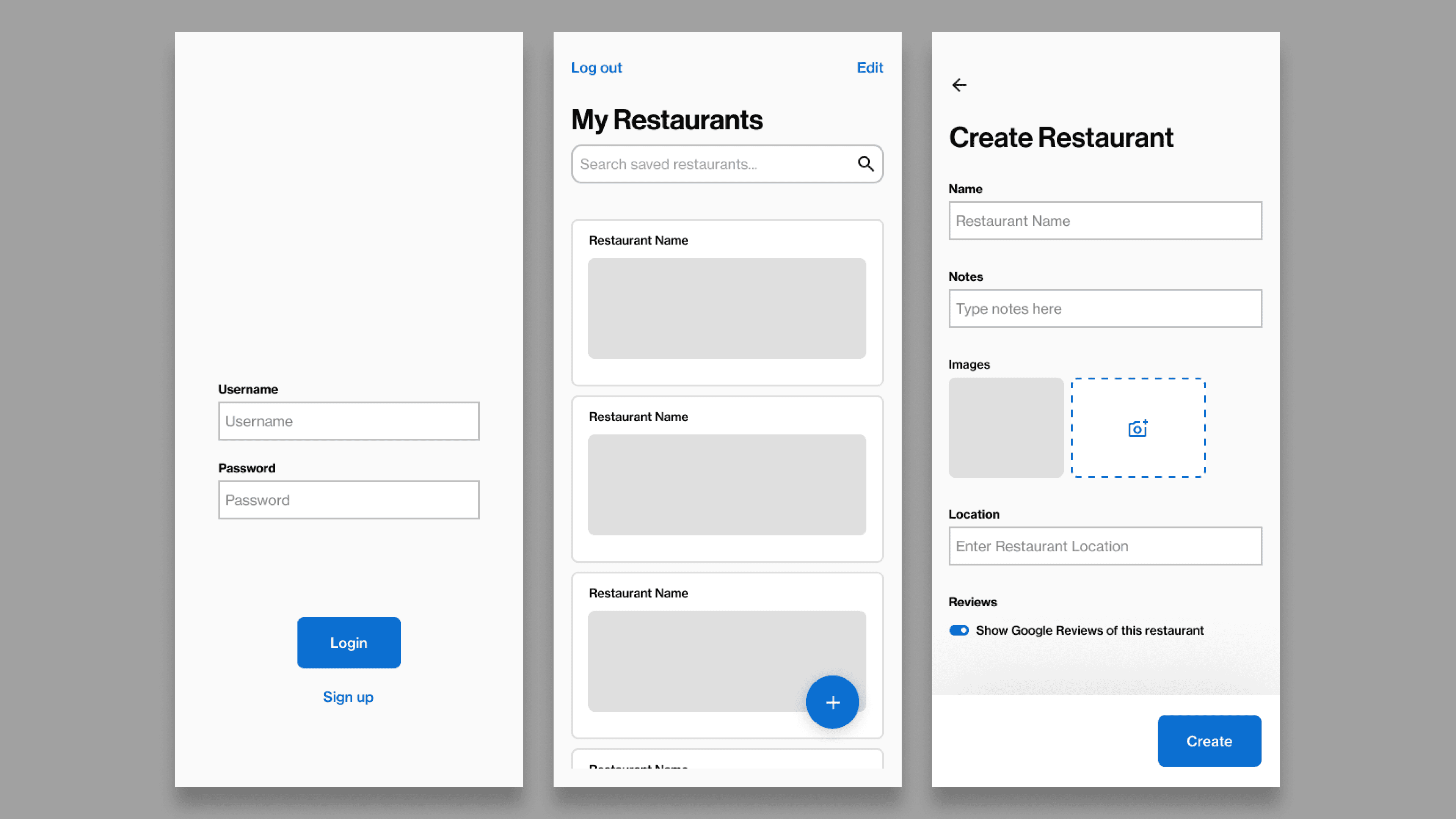
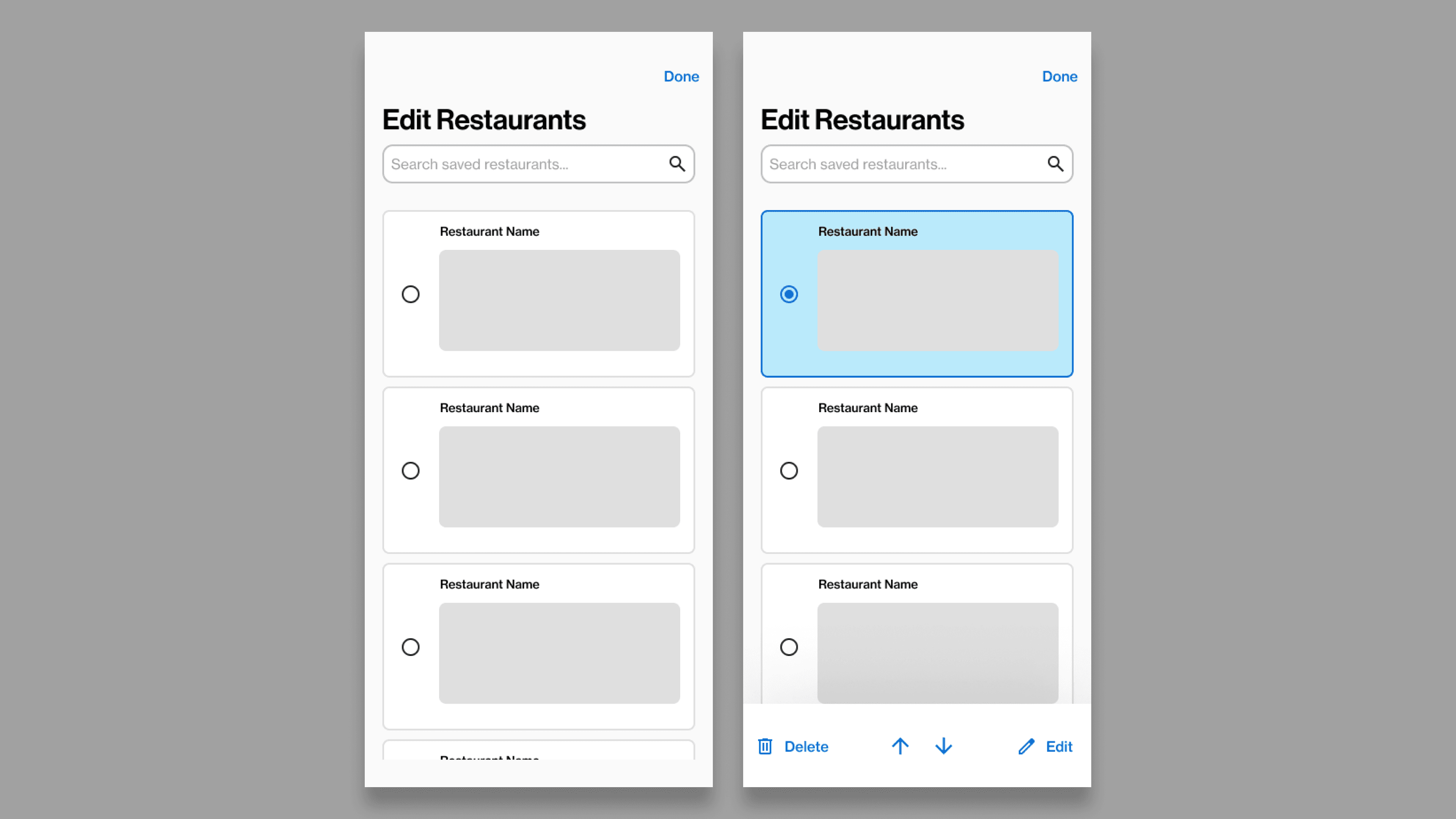
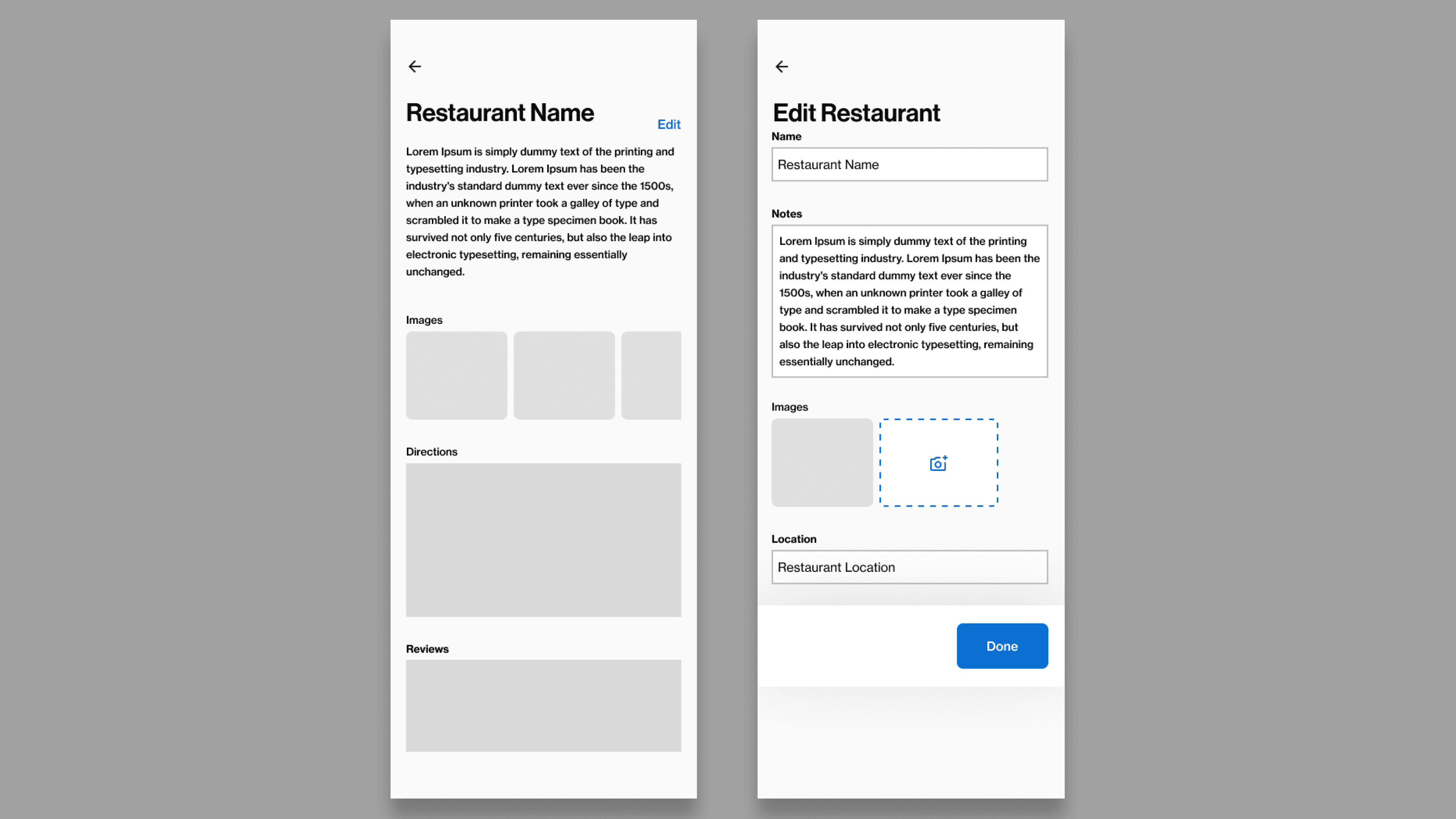
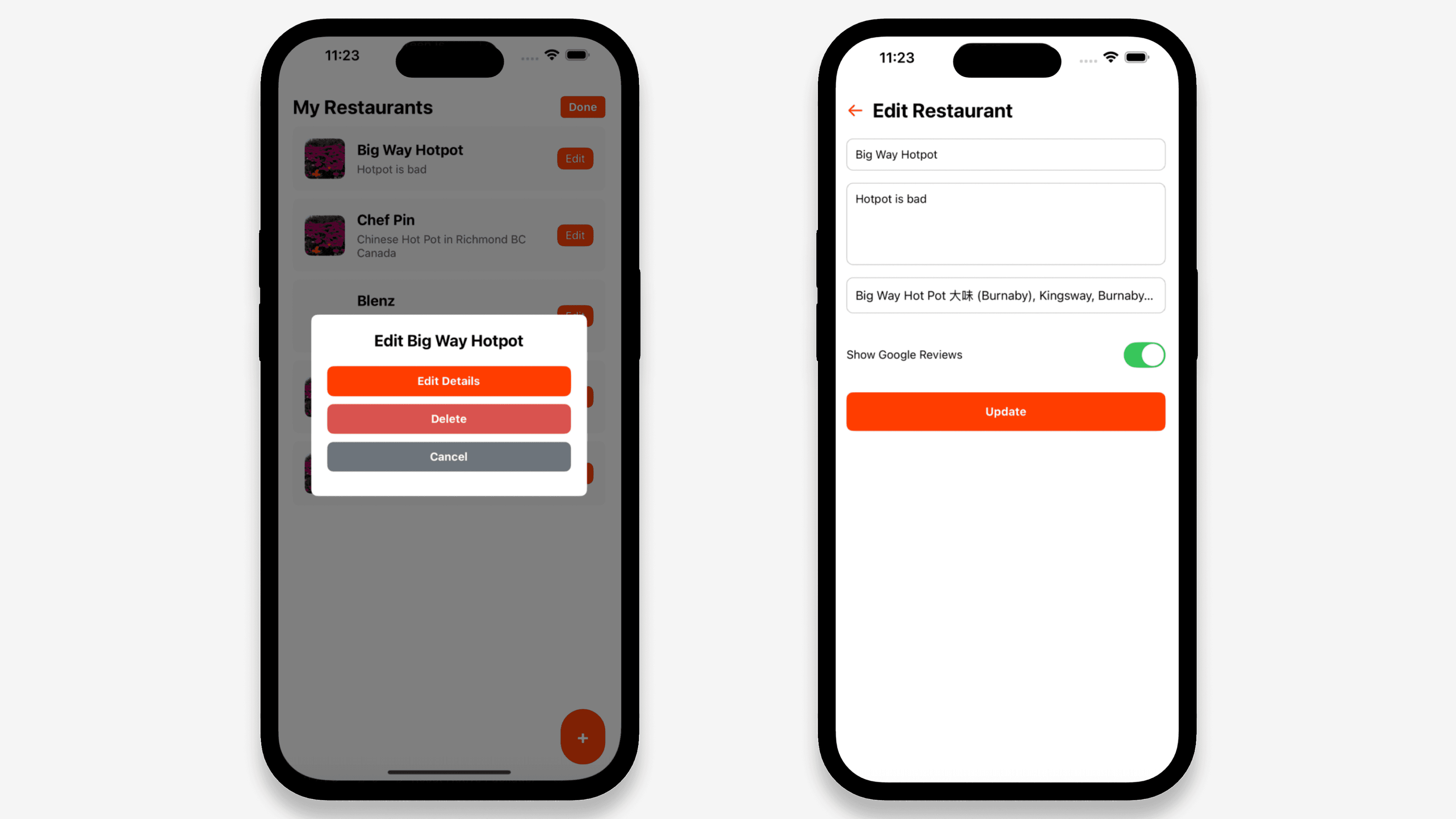
High-Fidelity Design
Visual & Interaction Decisions
Clean, minimal UI to reinforce journaling over reviewing
Large tap targets for ease of use
Simple form hierarchy to avoid decision fatigue
Map used as a secondary, supportive view — not the primary entry point
Accessibility considerations included readable text sizes and clear input states
Technical Implementation (Supporting UX)
While the project is UX-driven, technical decisions were made to support experience goals:
Authentication (Firebase Email/Password) — Reinforces privacy and personal ownership
Firestore + AsyncStorage — Structured data with fast local access
Google Maps & Places API — Reduces errors through autocomplete and improves recall via spatial context
Expo Image Picker — Allows visual memory capture without friction
Testing & Iteration
Results & Impact
Qualitative Outcomes
Increased user confidence and trust — Users felt more comfortable saving restaurants once authentication and private storage were clearly established.
Improved memory recall — Entries that included photos and personal notes helped users remember not just the restaurant, but why it mattered.
Stronger sense of ownership — The ability to edit and reorder entries reinforced that the journal belonged to the user, not the platform.
Quantitative & Proxy Metrics (Usability Testing)
Capture & Efficiency
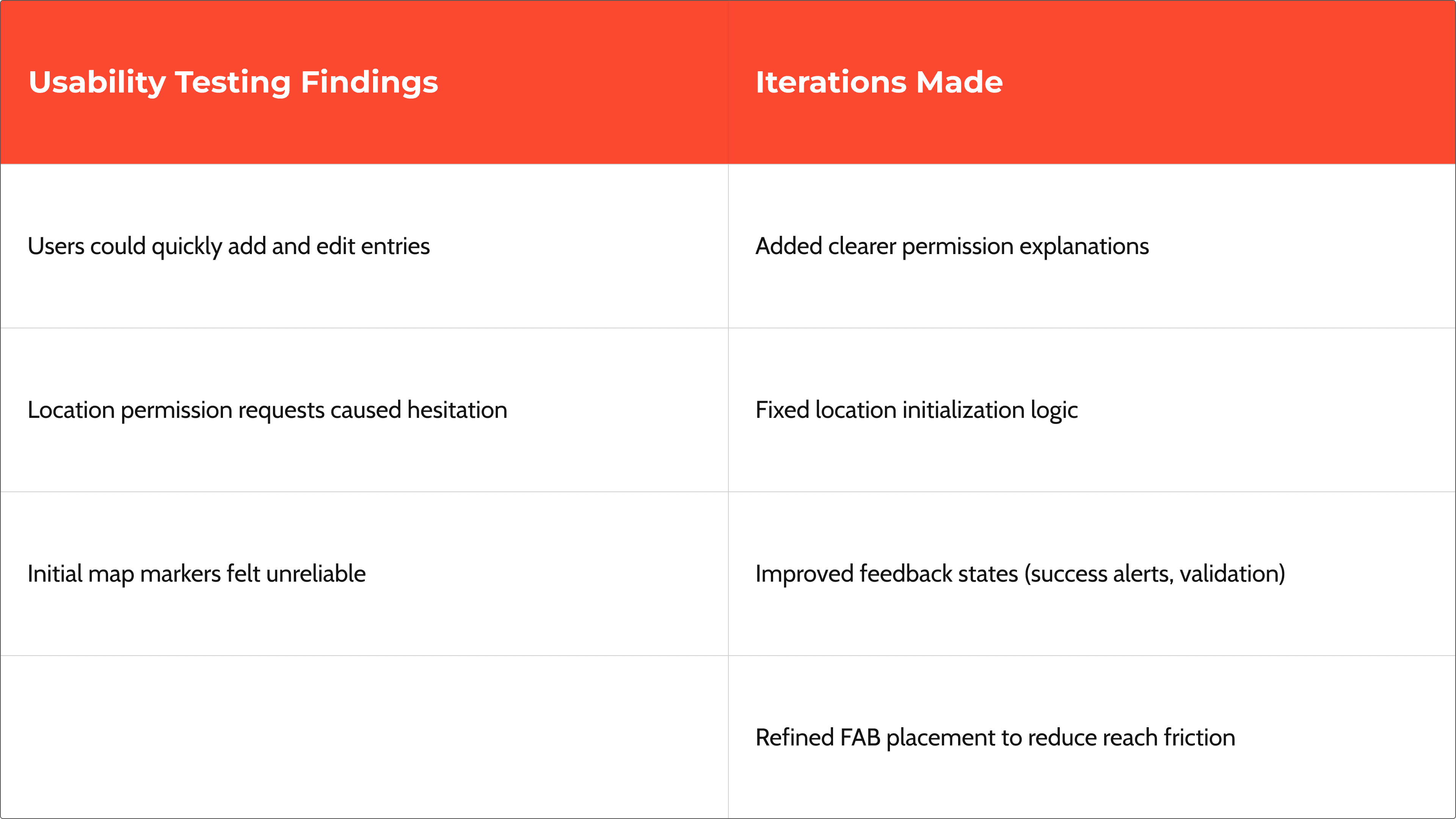
Reduced time to save a restaurant entry after consolidating the add flow and introducing a floating action button.
Fewer steps required to complete an entry, resulting in a higher completion rate during testing.
Accuracy & Confidence
Fewer location errors after implementing Google Places autocomplete.
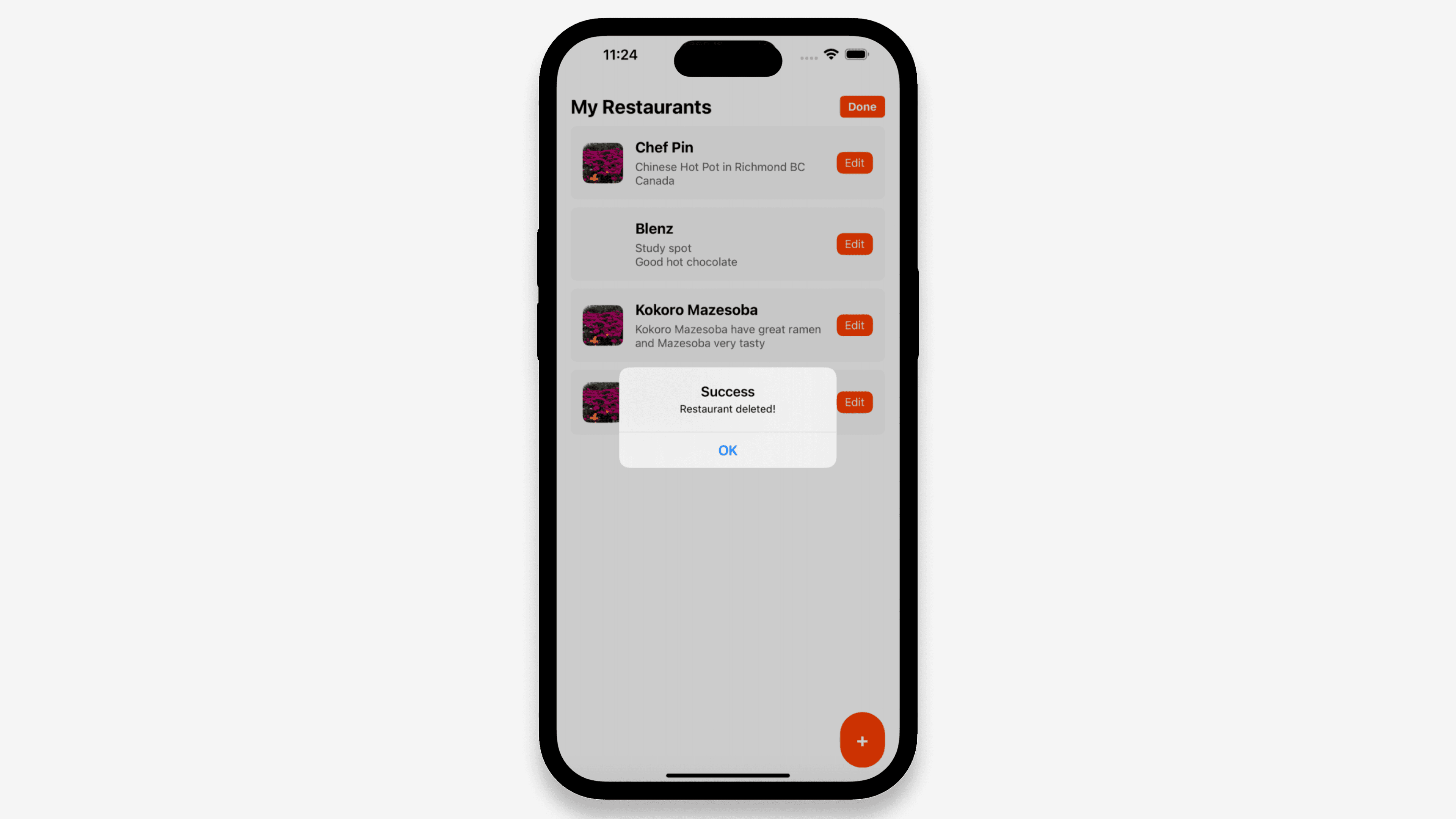
Reduced form validation errors following clearer input constraints and success feedback.
Engagement & Early Retention Signals
Increased repeat entry creation within a session, suggesting low-friction capture.
Higher proportion of entries containing photos or notes, indicating deeper engagement with journaling.
Increased use of the map view when revisiting saved restaurants, supporting rediscovery behavior.
Trust & Privacy (Perception Metrics)
Users reported higher confidence knowing their content was private and authenticated.
Reduced hesitation around location permissions after clearer permission prompts were added.
Key Learnings
UX decisions are inseparable from technical architecture
Small friction points (permissions, feedback) heavily impact trust
Private experiences require different design instincts than social products
Building native features deepened my understanding of mobile UX constraints