SeniorCarePlus Mobile App UI Design
SeniorCare Plus is a financial-management app created for adults aged 75 and older. It enables seniors to easily track expenses, manage monthly income, and view spending patterns through clear, simplified visuals. The core of this project was not budgeting features — it was designing for accessibility, minimizing cognitive load, and ensuring every interaction supports the realities and abilities of older adults.
ROLE
TOOLS
Figma & ProtoPie
TIMELINE
4 Weeks
Problem
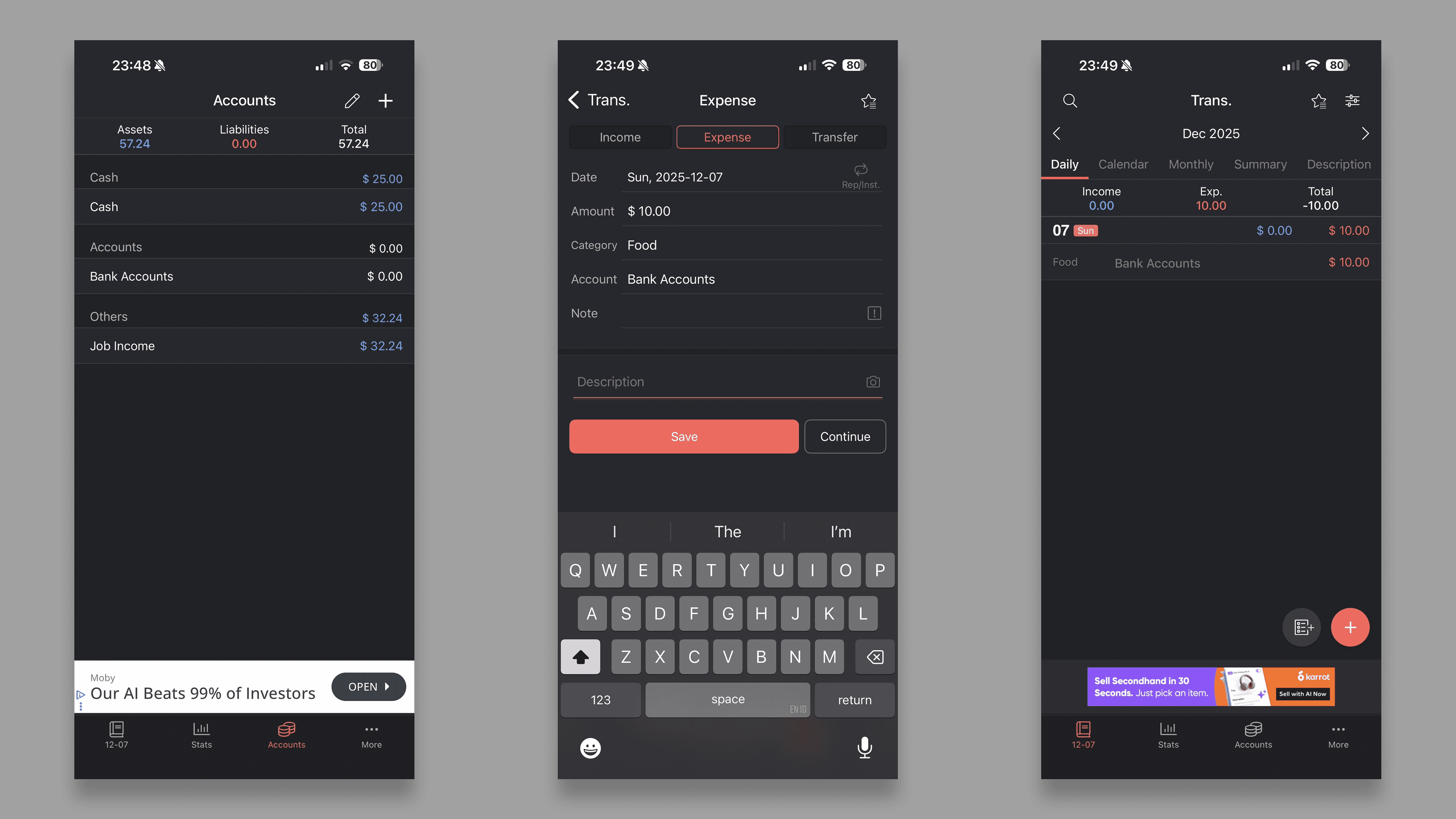
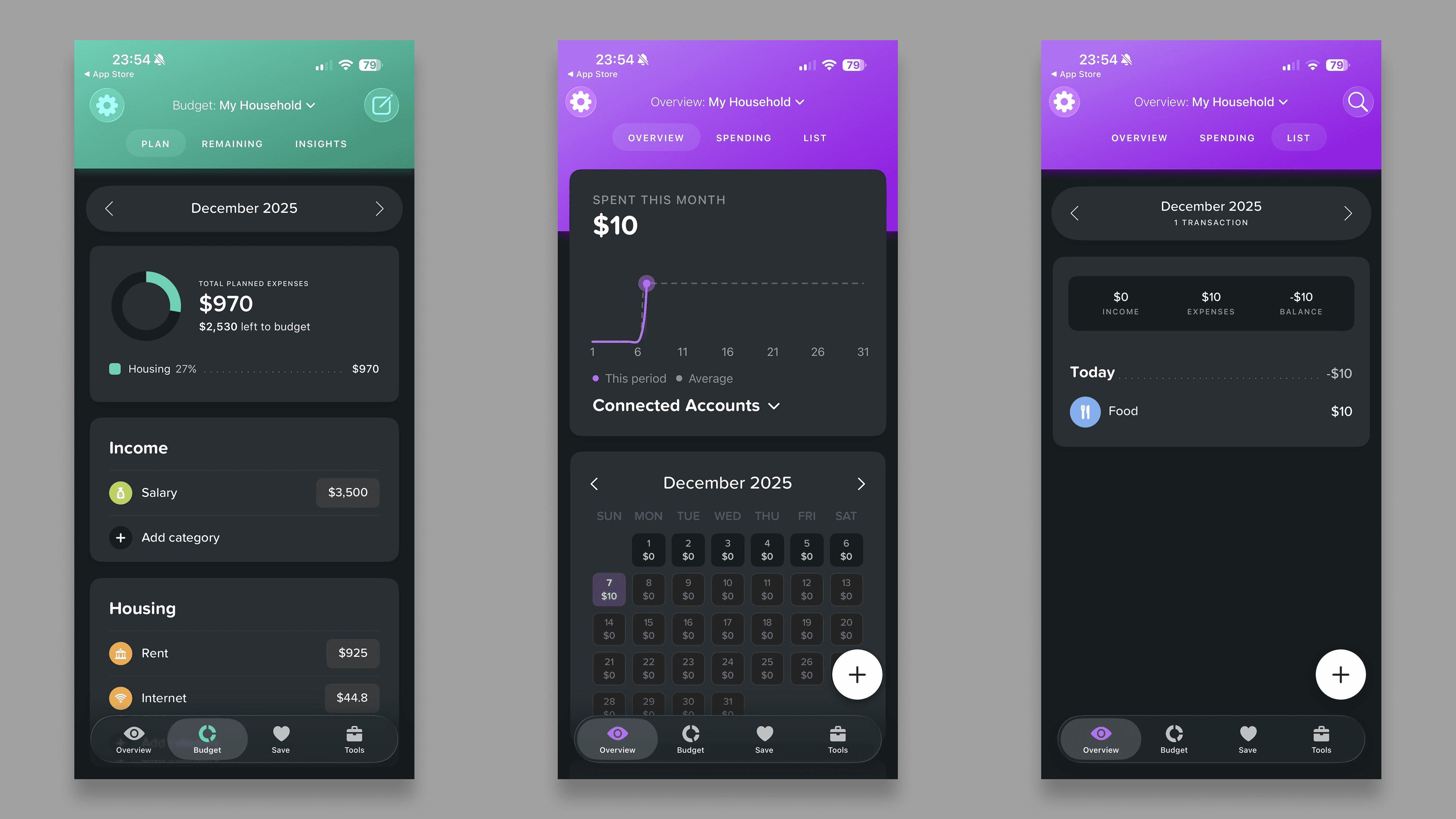
Existing financial apps are not designed with seniors in mind. Through competitive research on apps such as Money Manager and Buddy: Budget Planner, I identified several core accessibility and usability issues:
Small text and low-contrast UIs make reading difficult for aging eyes.
Complex interfaces create cognitive and emotional overwhelm.
Tiny tap targets increase errors due to reduced motor dexterity.
Unclear workflows lead to confusion when completing financial tasks.
Lack of predictable patterns fails to support seniors' need for step-by-step guidance.
These gaps revealed a clear challenge:
Design a simple, comfortable, and predictable financial experience that empowers older adults to manage their finances with confidence and independence.
Research
Literature Review
I reviewed multiple articles on designing digital experiences for older adults, focusing on key themes such as:
Visual accessibility and age-related changes in eyesight
Cognitive load reduction and memory support
Motor-friendly interaction design for reduced dexterity
Clear guidance and immediate feedback to build user confidence
These insights directly informed several design decisions, including:
Replacing multi-step gestures with single-tap, error-proof actions
Using clear, consistent color coding to distinguish financial categories
Adding a first-time tutorial and guided flow to support onboarding and reduce confusion
It help me define the main features for the MVP.
Persona
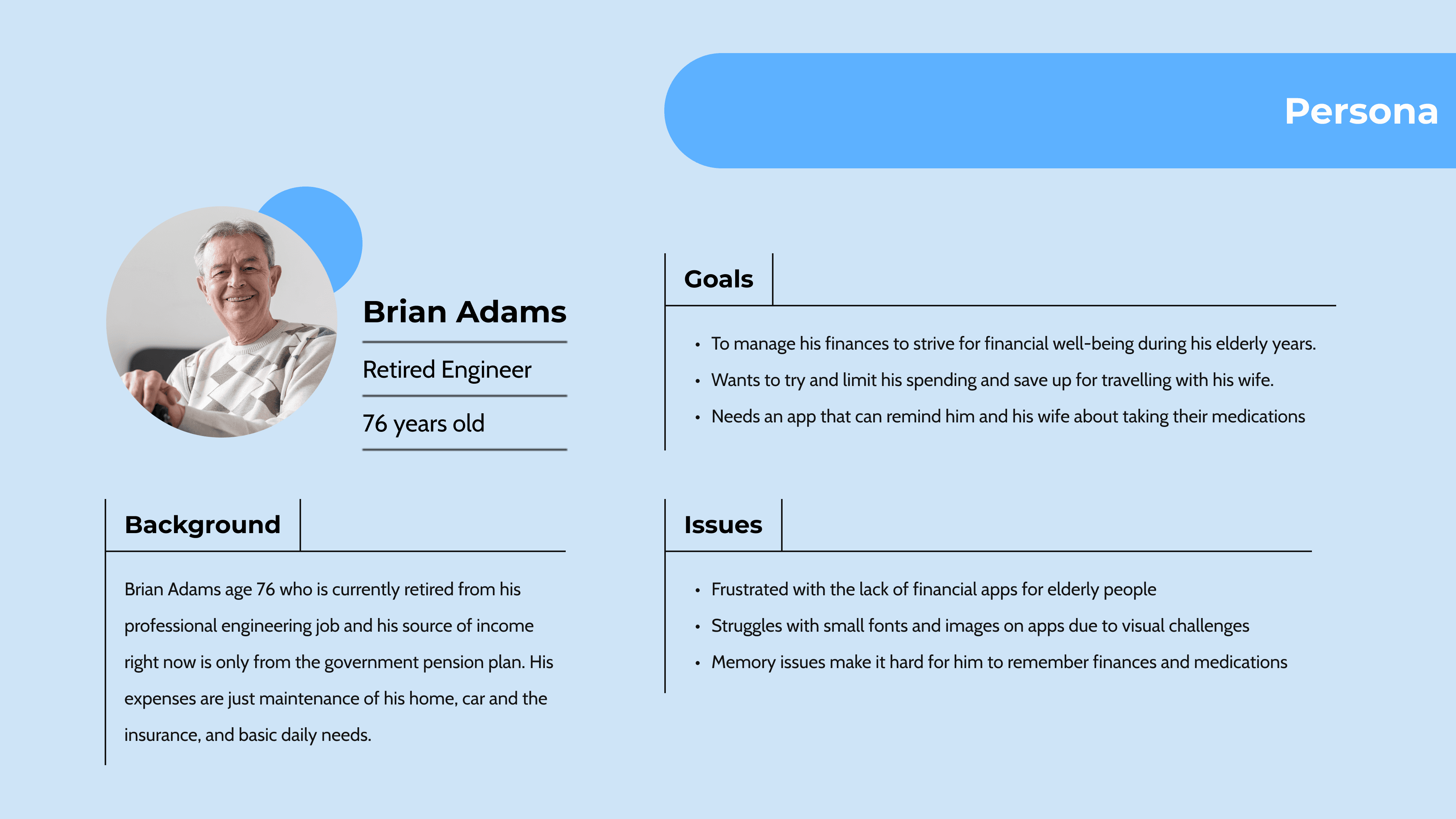
To ground the design in real needs, I generated a representative senior persona using ChatGPT, leveraging its ability to synthesize patterns based on real-world data.
Research-Informed MVP
Insights from the literature review informed the MVP feature set and guided the prioritization of essential functionalities.
Adding accounts
Logging transactions
Viewing income/expense totals
Visualizing monthly spending through a pie chart
Ideation & Design
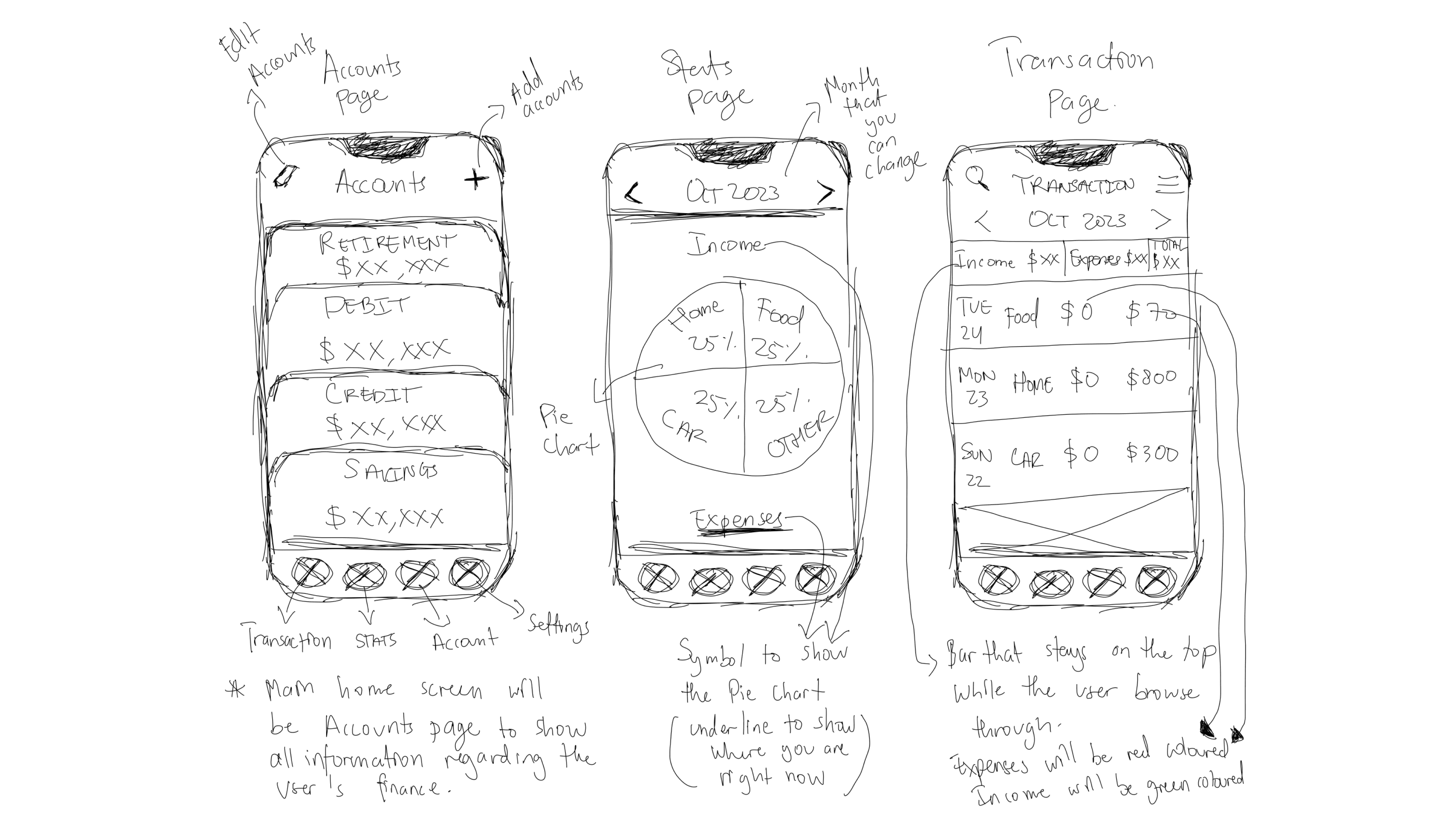
Wireframes
The wireframes established the foundation for the senior-friendly experience. I focused on clarity, predictability, and reducing unnecessary steps:
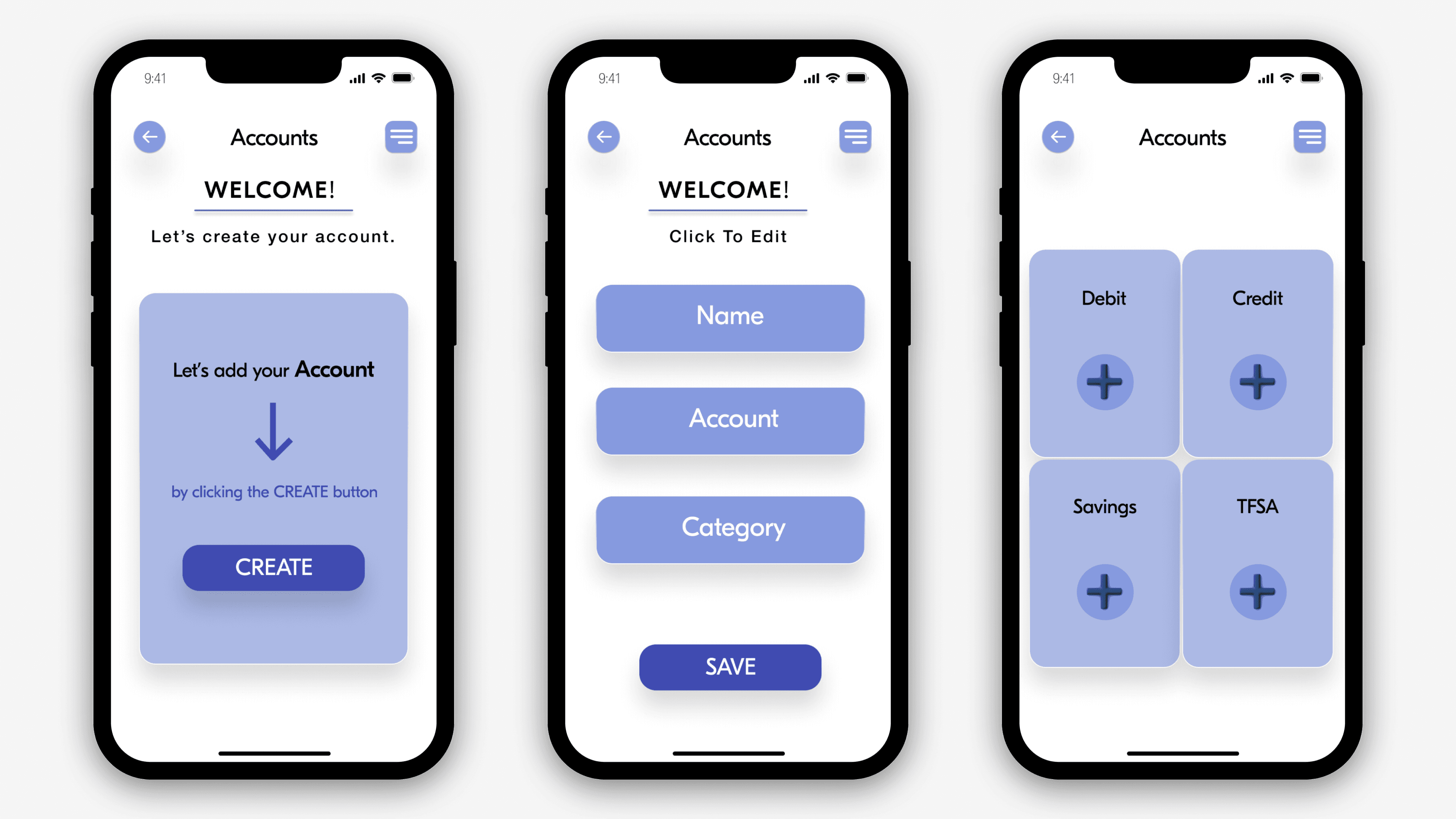
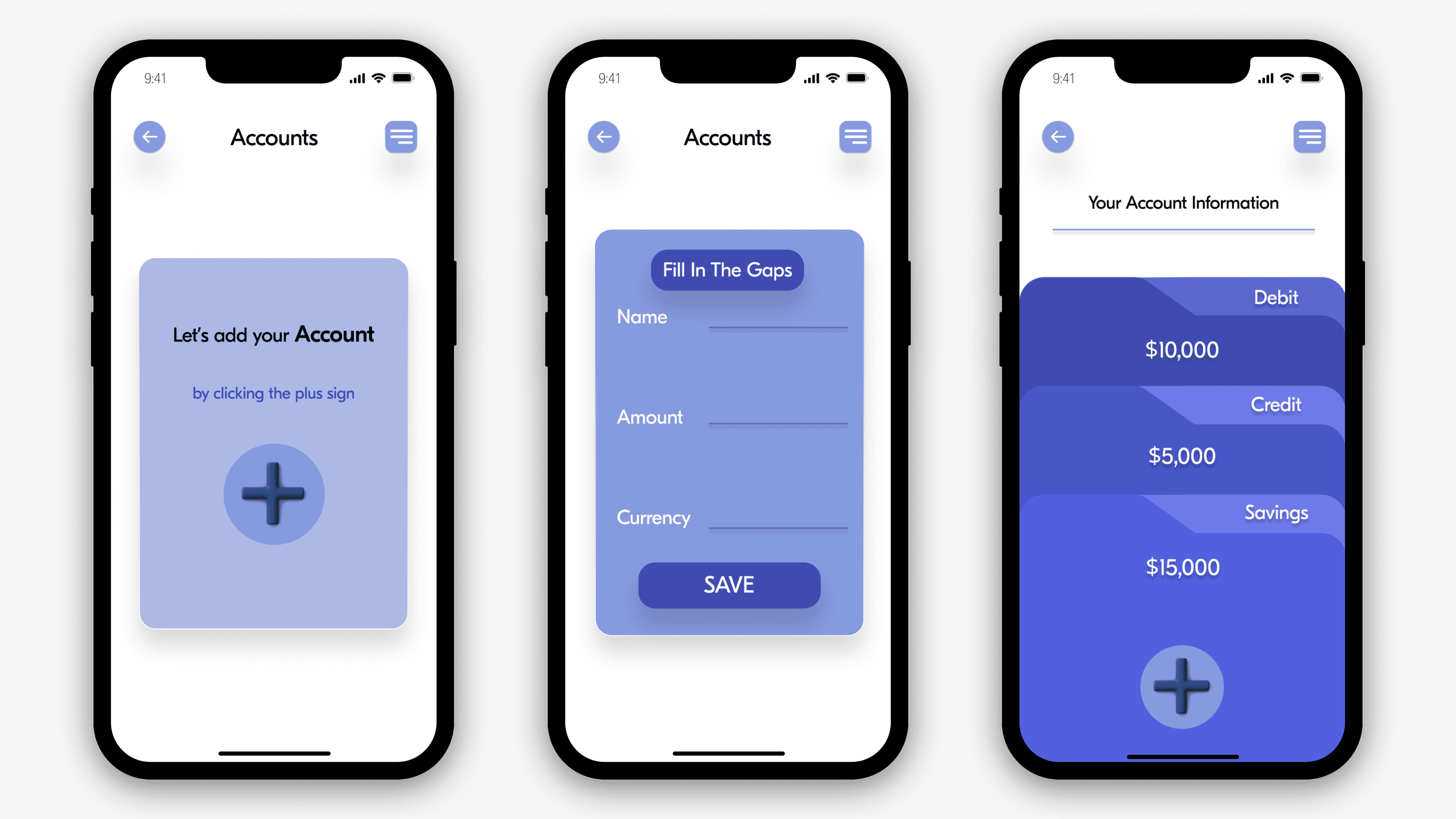
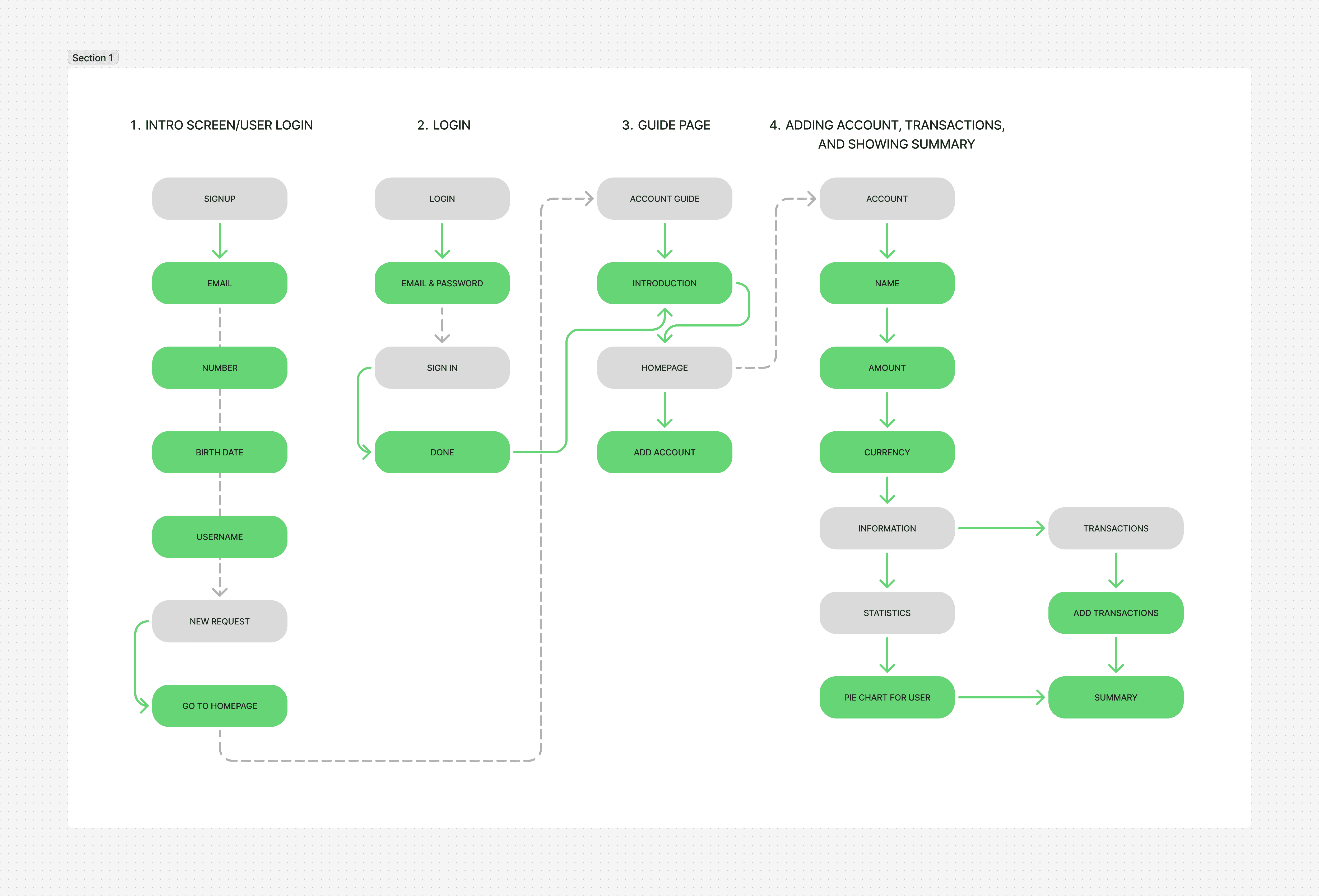
Add Account: A linear, guided flow that minimizes decisions and keeps each step clear and stress-free.
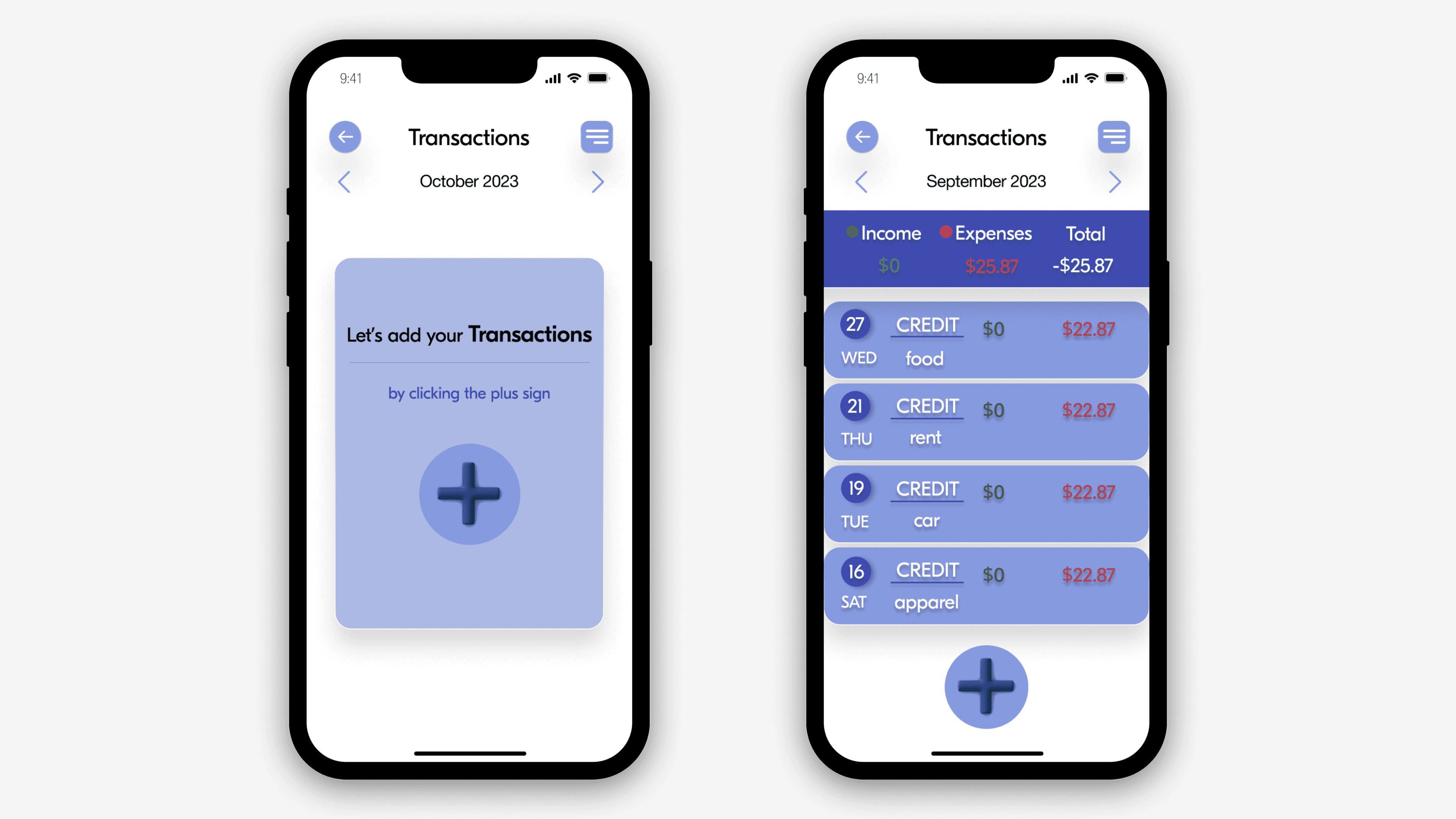
Add Financial Entry: A simplified input pattern using large tap targets, clear categories, and minimal scrolling.
Account Navigation: A stable navigation structure that allows seniors to switch between accounts without losing their place.
These wireframes ensured the app’s core tasks were easy to understand and repeat with confidence. Below is one of my explorations.
User Flow
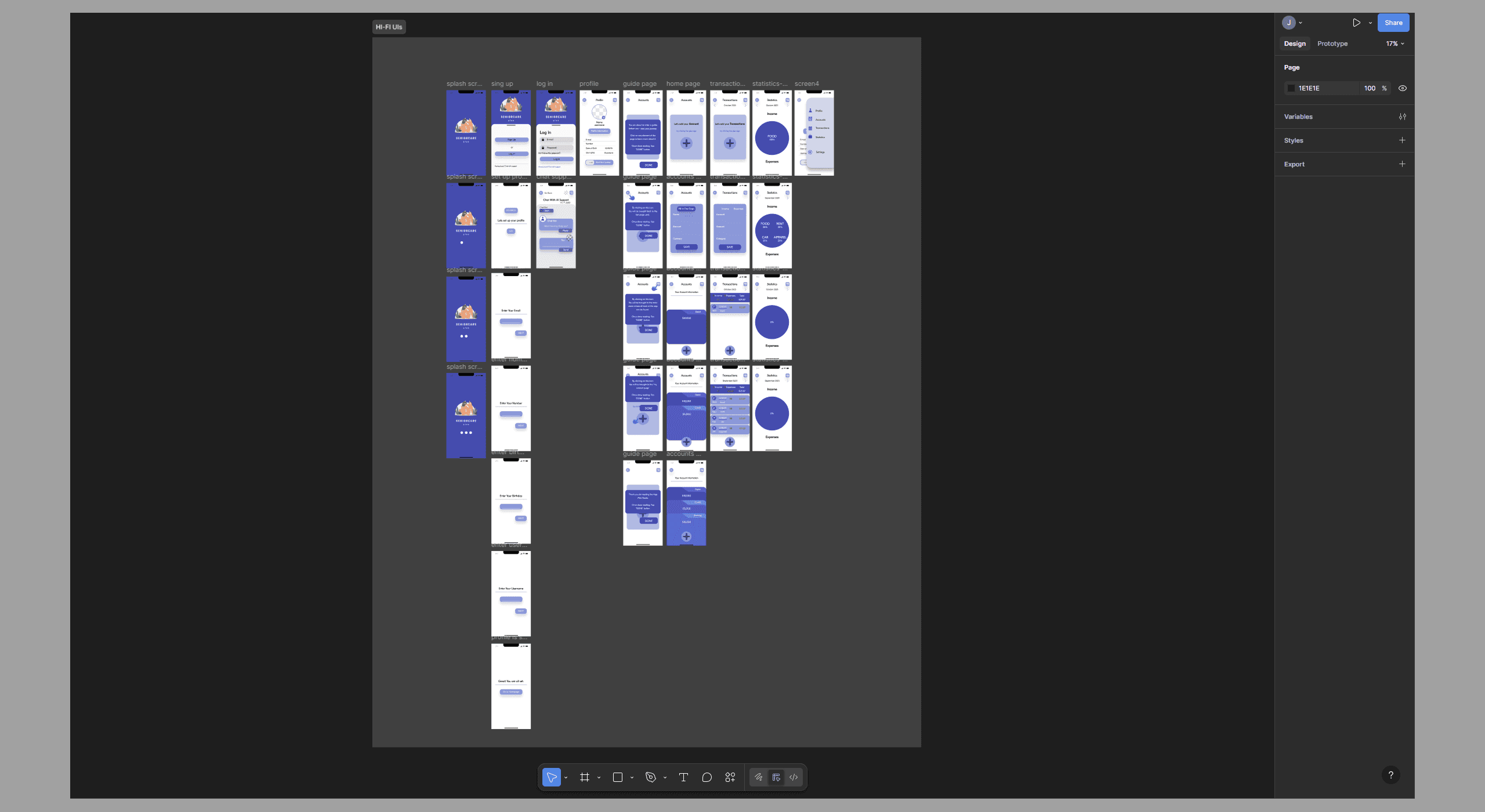
High-Fidelity UIs
The high-fidelity designs translate all research insights into a clear, senior-friendly interface:
Large, high-contrast typography: Improves readability, reduces eye strain, and supports age-related vision changes.
Minimal steps per action: Replaces multi-step gestures with single-tap interactions to reduce cognitive load and prevent errors.
Familiar card-based layout: Uses panel-style grouping that feels intuitive and easier for seniors to scan compared to floating or dense micro-UI elements.
Clear feedback & guidance: Guide screens, instructional text, and subtle tooltips show users what to tap, what will happen next, and reassure them throughout the task.
Simplified color palette A calm blue-and-white theme enhances readability, reduces visual clutter, and creates a consistent, predictable experience.
Testing & Feedback
Testing & Iteration
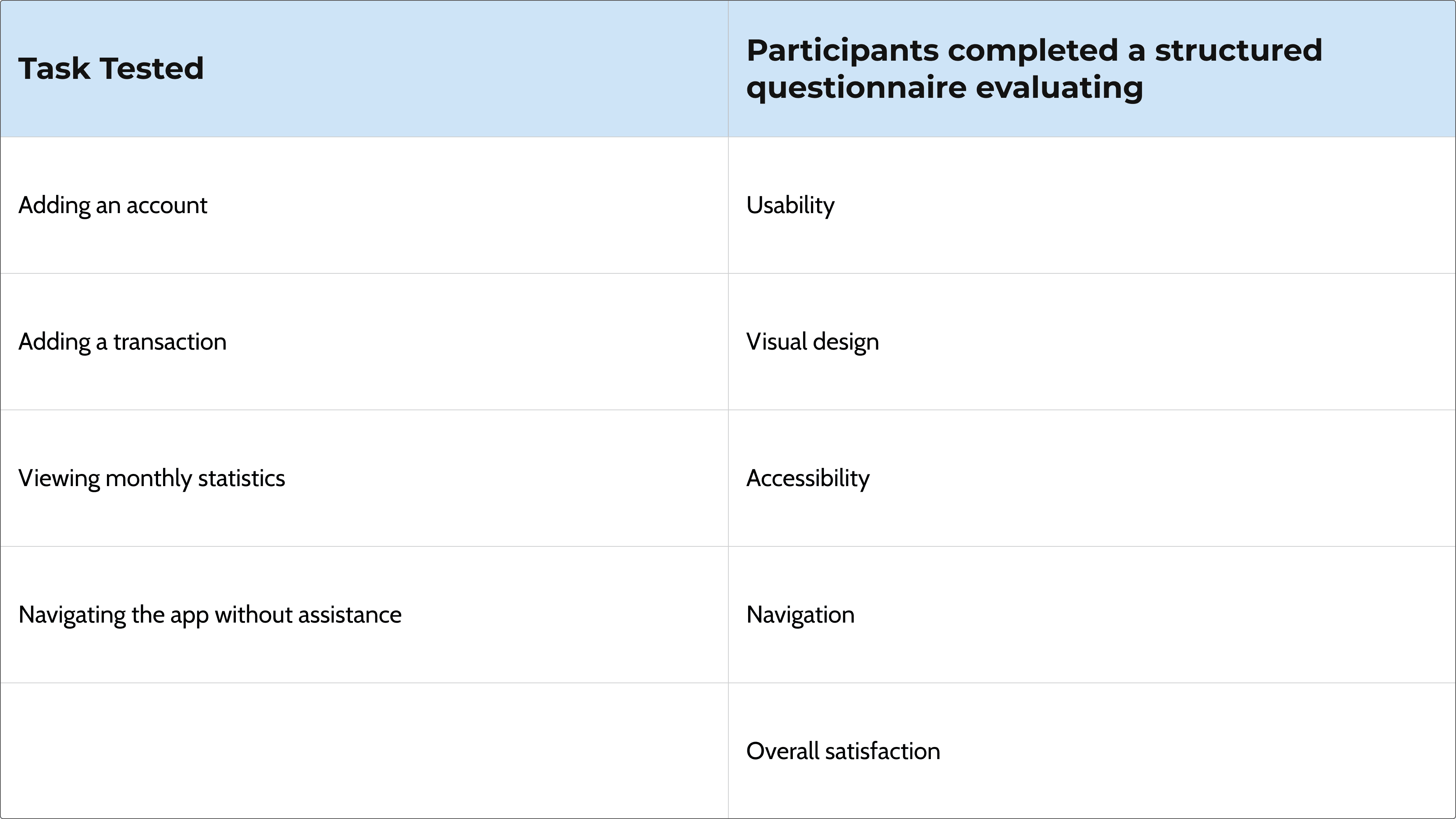
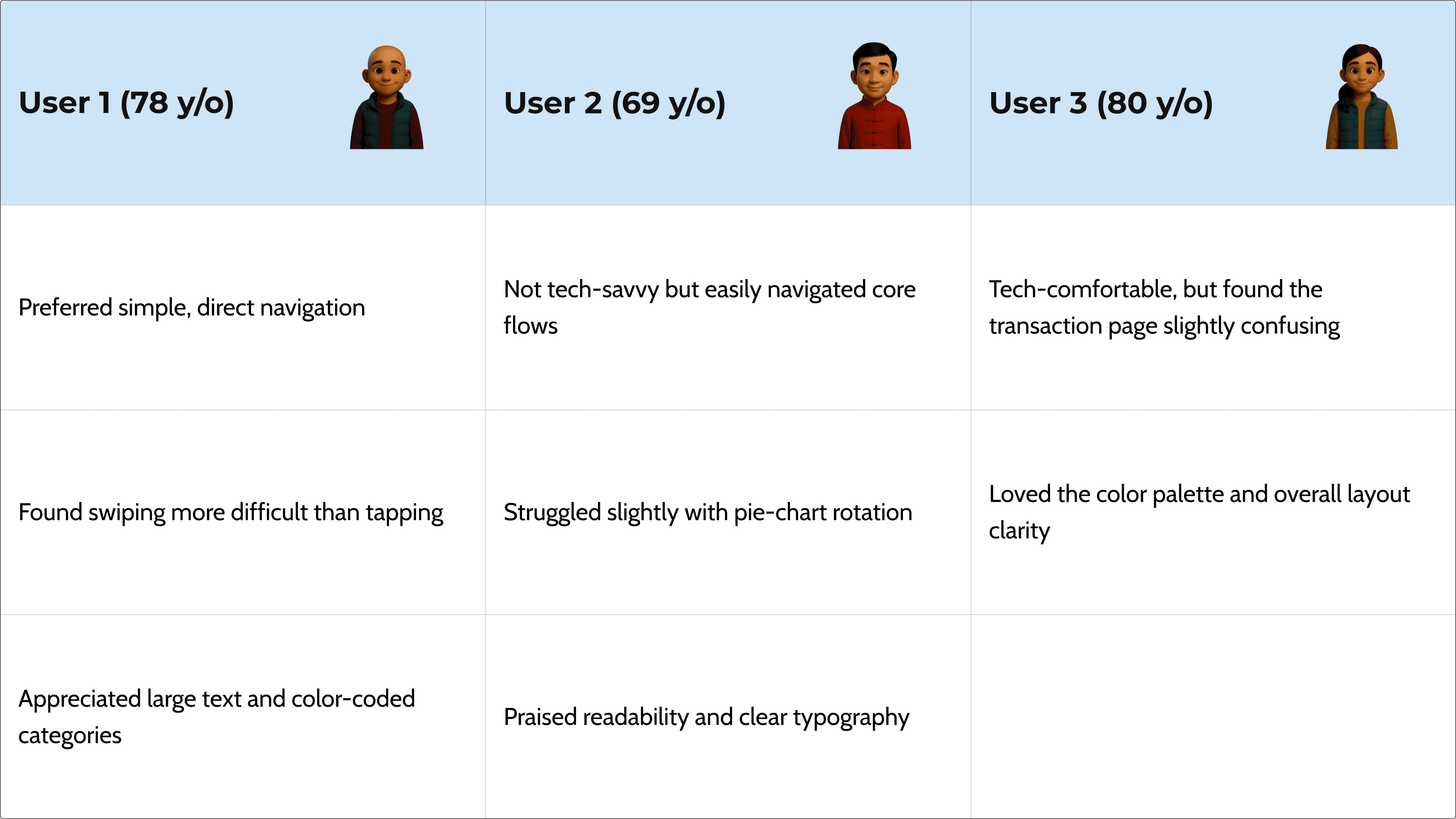
I conducted usability testing with three seniors aged 69–80 to validate the clarity, accessibility, and overall usability of the prototype.
Key Insights from User Testing
Results
Increased Ease of Use: Participants rated navigation as easy due to predictable flows and minimal steps.
Improved Readability: All users praised the large font sizes and strong contrast.
High Satisfaction: Users described the experience as “enjoyable” and “comfortable.”
Accessible Interaction Model: The app demonstrated how UI changes (bigger buttons, clear labels, simple flows) can dramatically reduce the usability barriers older adults face.
Functional Prototype Completed: A functional ProtoPie prototype simulated the entire financial management workflow in an accessible format.
Final Designs
Improvements Made After User Testing
Based on these insights, I refined several interaction and layout patterns:
Replaced swiping interactions with tap-only actions (except onboarding)
Enlarged interactive elements on the transaction page
Improved pie-chart navigation cues
Increased spacing between buttons for better motor accuracy
Added more descriptive labels to reduce confusion
These refinements directly addressed seniors’ motor, visual, and cognitive limitations — resulting in a more predictable and senior-friendly experience.